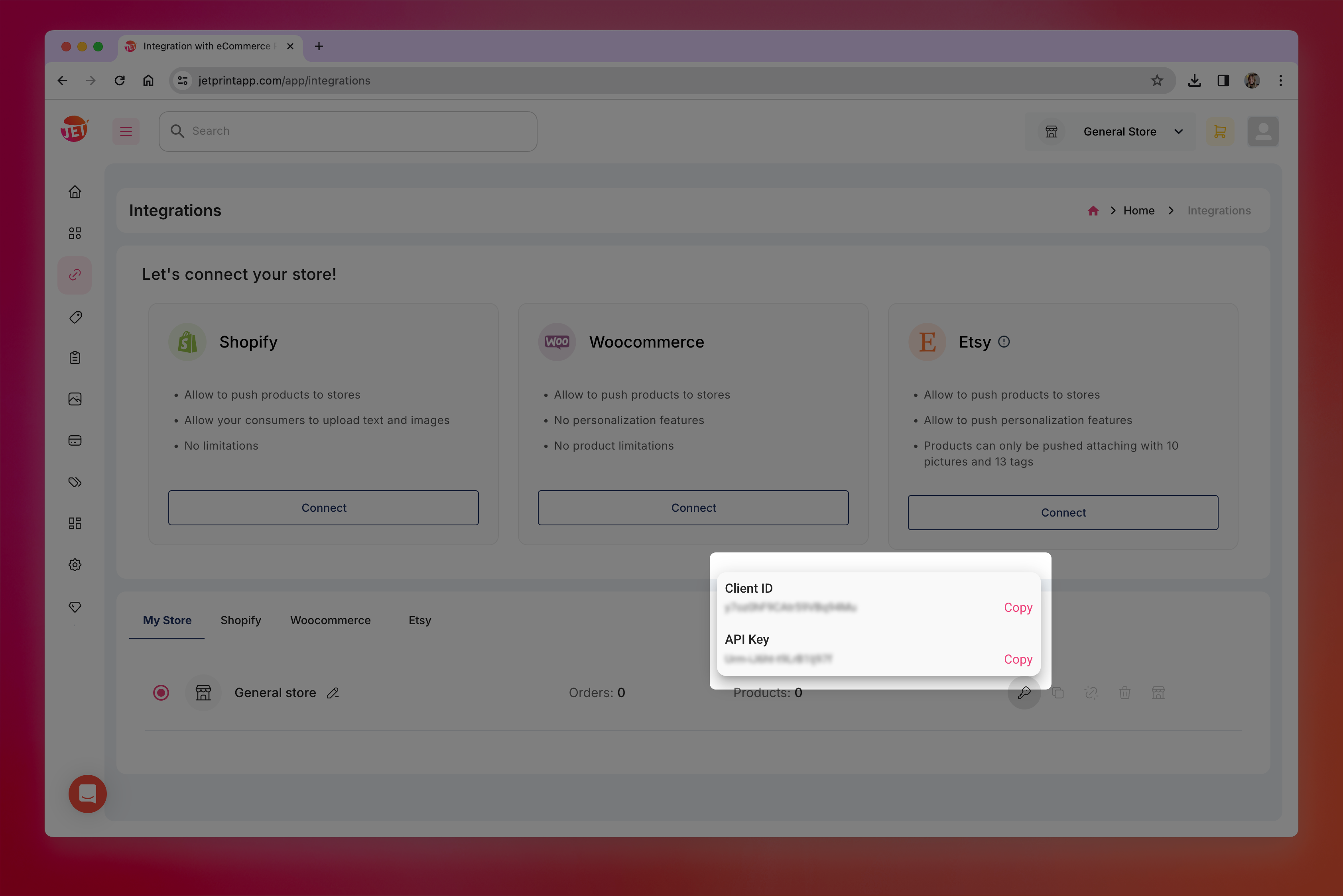
Where can I find my JetPrint API Key
Last updated: April 28, 2026
- Login to your JetPrint account, or register with them here if you don't have an account yet.
Go to "Integrations" on the left menu.

- Find your default store, and click the Key Icon to get your API Key and Client ID.
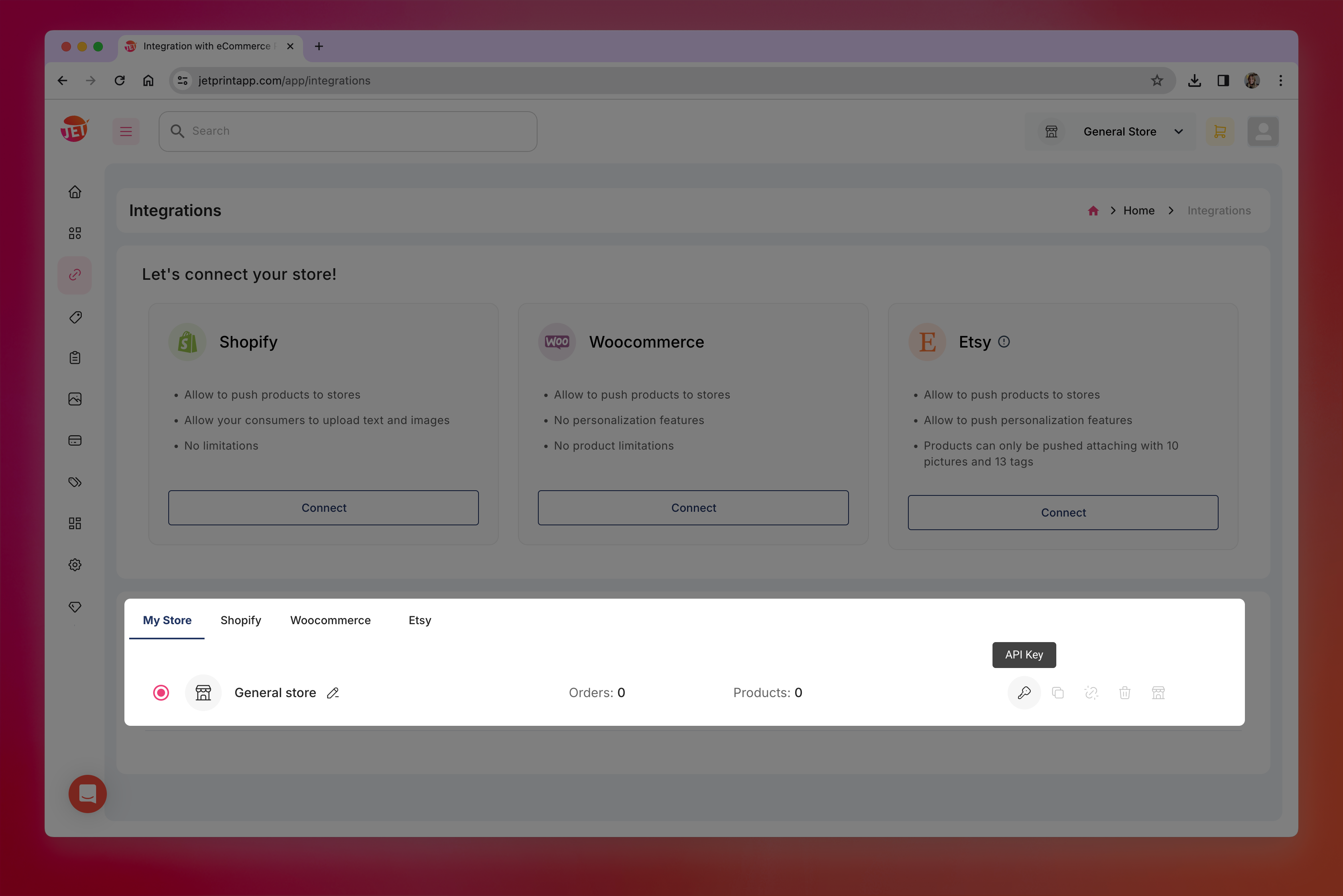
-
Copy both values to use them in Customily.