Developer Settings overview
Last updated: October 7, 2026
Developer Settings contains advanced options for customizing how Customily interacts with your storefront.
These settings are intended primarily for developers and advanced configurations. Most stores won't need to change them unless they're implementing a custom behavior, working with a specific theme, or following instructions from the Customily team.
To access them, go to Store Settings > Developer Settings.
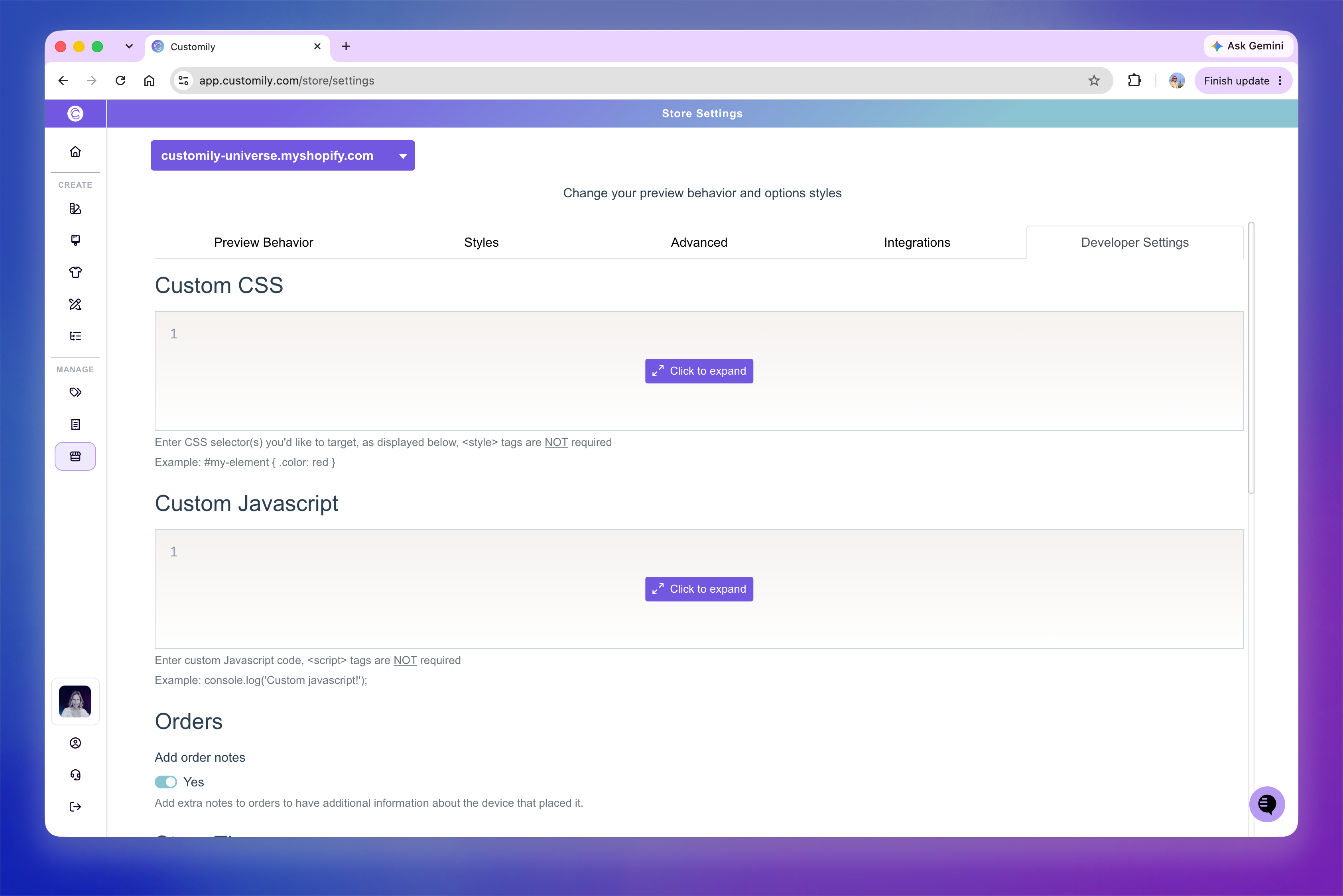
Add custom CSS and JavaScript
The Custom CSS and Custom Javascript fields let you add custom code that changes how Customily looks or behaves on your storefront.
Custom CSS — Add CSS rules to customize the appearance of Customily elements.
Custom Javascript — Add JavaScript for custom storefront behavior and integrations.
You don't need to include <style> or <script> tags.
For instructions on styling Customily elements with CSS, see Apply custom styles with CSS.
Configure your store theme
The Store Theme settings control how Customily identifies and interacts with elements in your storefront theme.
Here you can configure:
Price query selector — Identifies the element that displays the product price.
Sale price query selector — Identifies the element that displays the sale price.
Load scripts from store's theme — Loads Customily scripts directly from your theme to improve page loading performance.
For instructions on loading Customily from your theme, see 📄 Adding Customily scripts to your Shopify theme for faster loading
Note
Query selectors and other theme-specific settings generally don't need to be changed unless your theme requires a custom configuration.
Configure advanced Customily behavior
The remaining settings control technical aspects of how Customily interacts with your storefront, orders, production files, and cart.
These include settings for:
Adding technical information to orders
Debugging Customily on your storefront
Removing conflicting product form events
Renaming production files
Adding information to renamed production files
Shadow DOM compatibility
Abandoned cart functionality
How products are added to the cart
Events triggered before or after adding products to the cart
What happens on the storefront after a product is added to the cart
Important
These settings can affect how Customily works with your theme and cart. We recommend leaving their default values unless you have a specific reason to change them or have been instructed to do so by the Customily team.