Where can I find my Printify API key (token)
Last updated: April 28, 2026
- Login to your Printify account, or register with them here if you don't have an account yet.
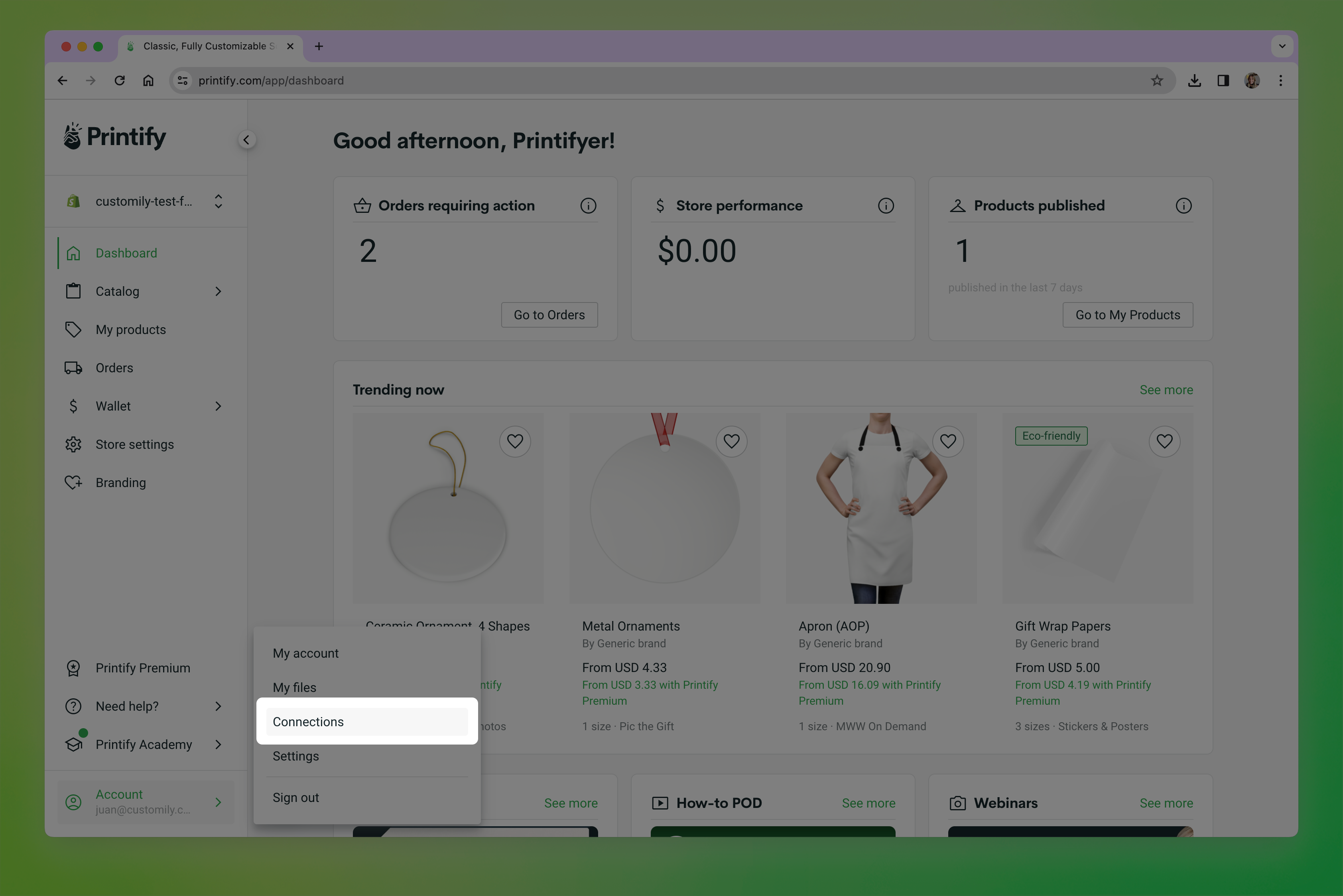
- Click on your user in the bottom left corner and go to Connections
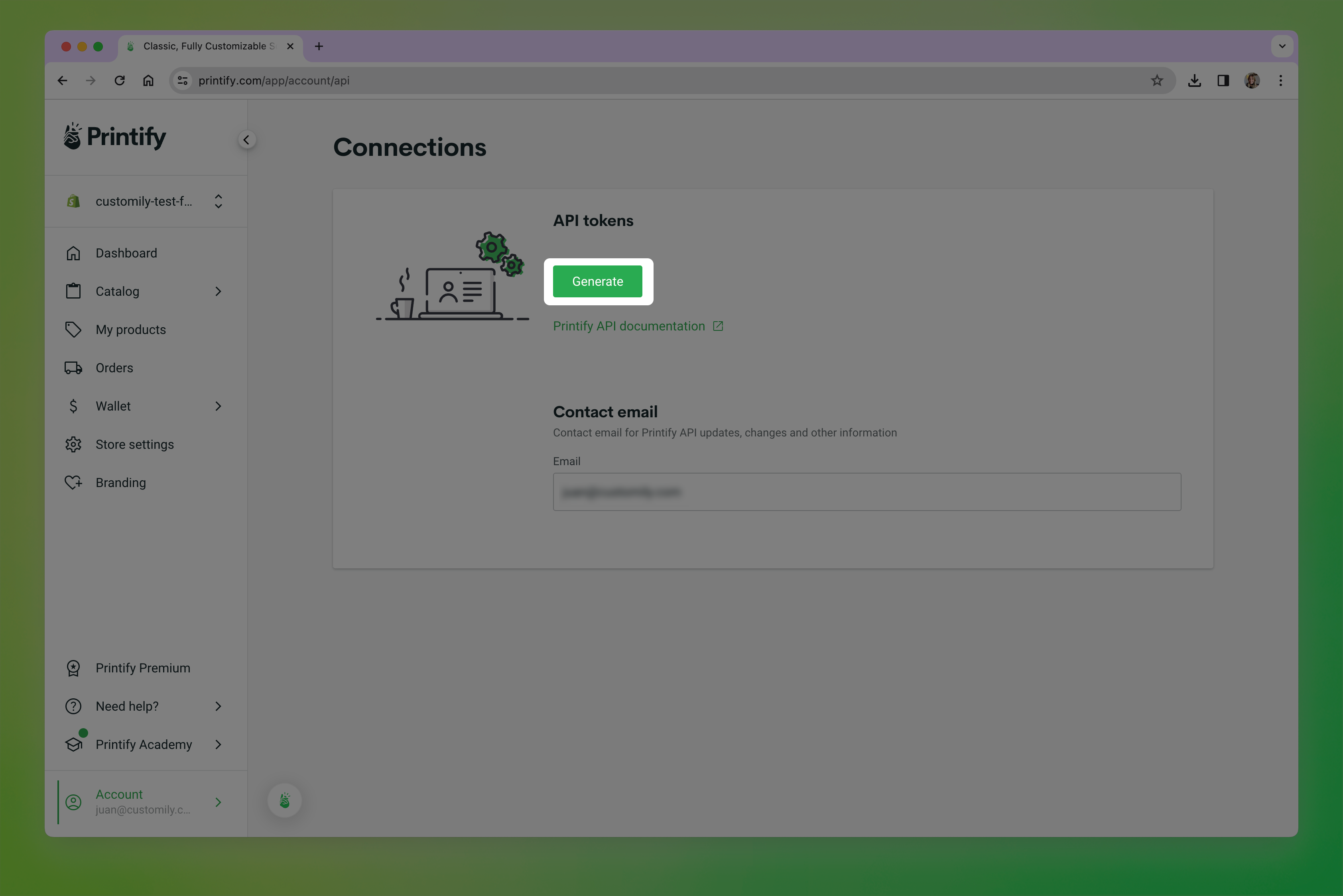
- Click on Generate to create a new API token.
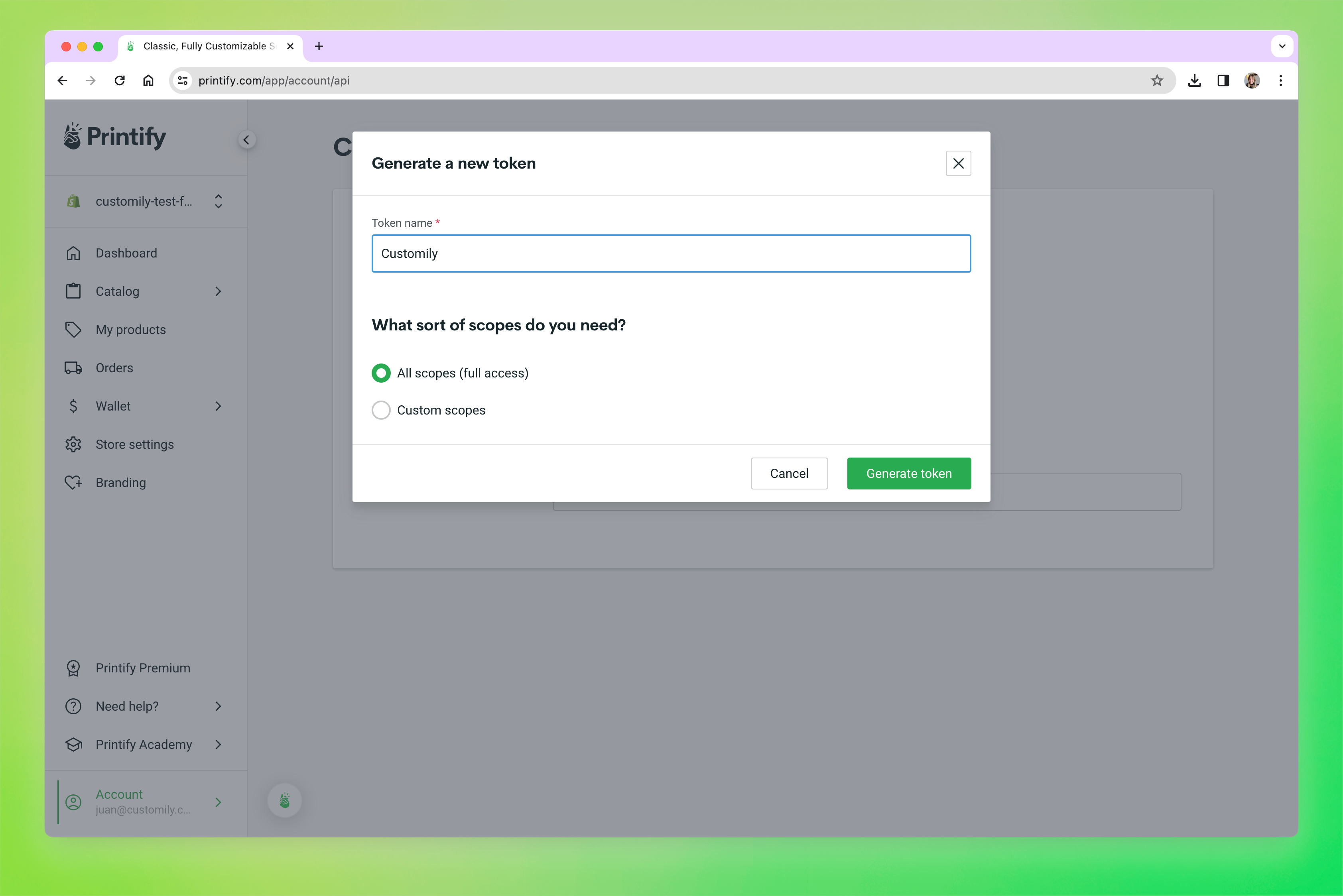
- Give the Token an easily recognizable name (like Customily), select All scopes (full access), and click Generate Token
-
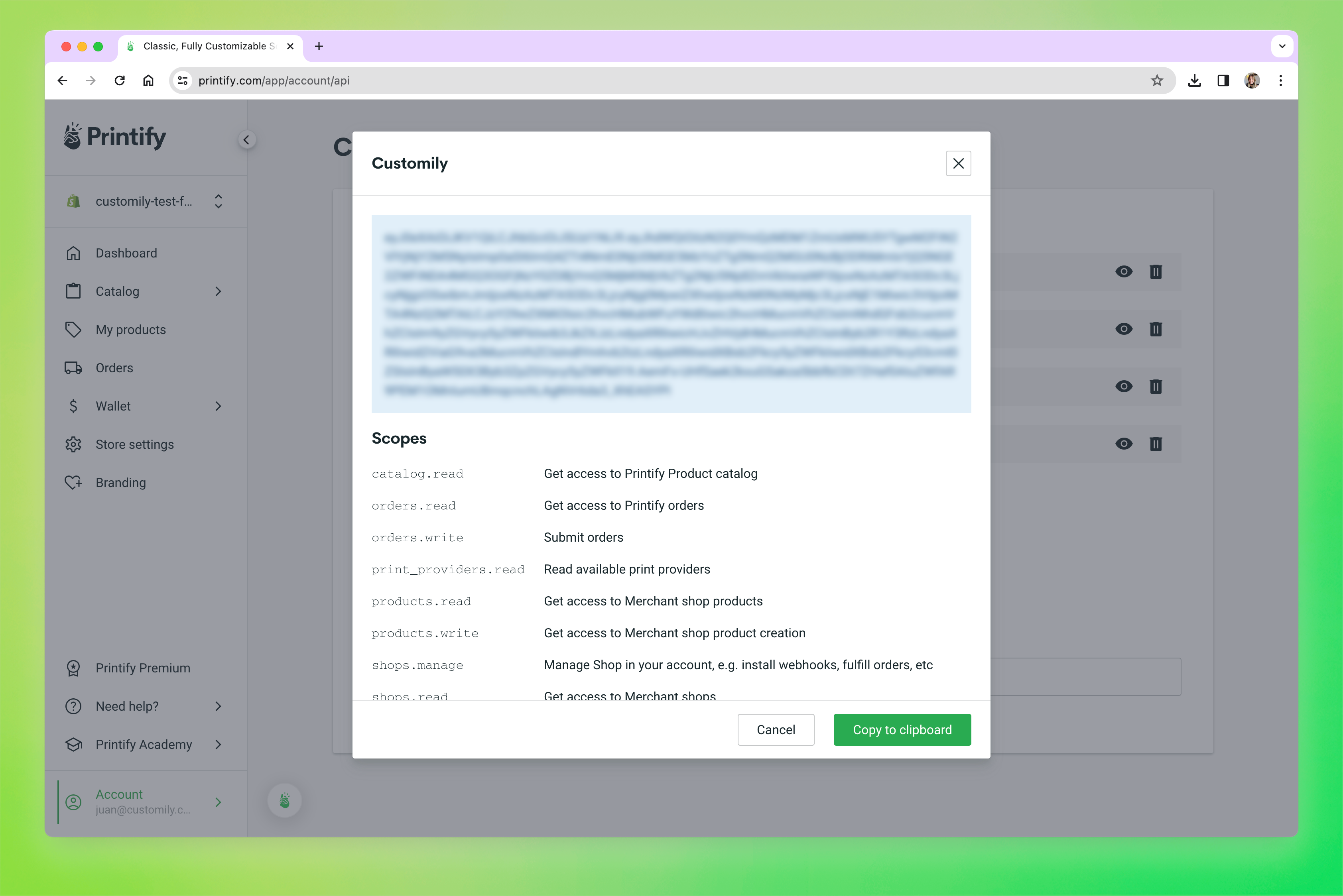
A window with your token will show up. Click Copy to clipboard, to be able to paste it in Customily.