What is an Option Set?
Last updated: April 28, 2026
In Customily, an Option Set is the group of personalization fields your shoppers interact with on your product page. It’s the form that lets them customize your product — made up of text inputs, swatches, dropdowns, calendars, image uploads, and more.
Option sets are what connect your design with your storefront. Without an option set, your shoppers wouldn’t have a way to personalize the elements in your design.
When a shopper types in a name, uploads a photo, or picks a date, they’re using the Option Set.
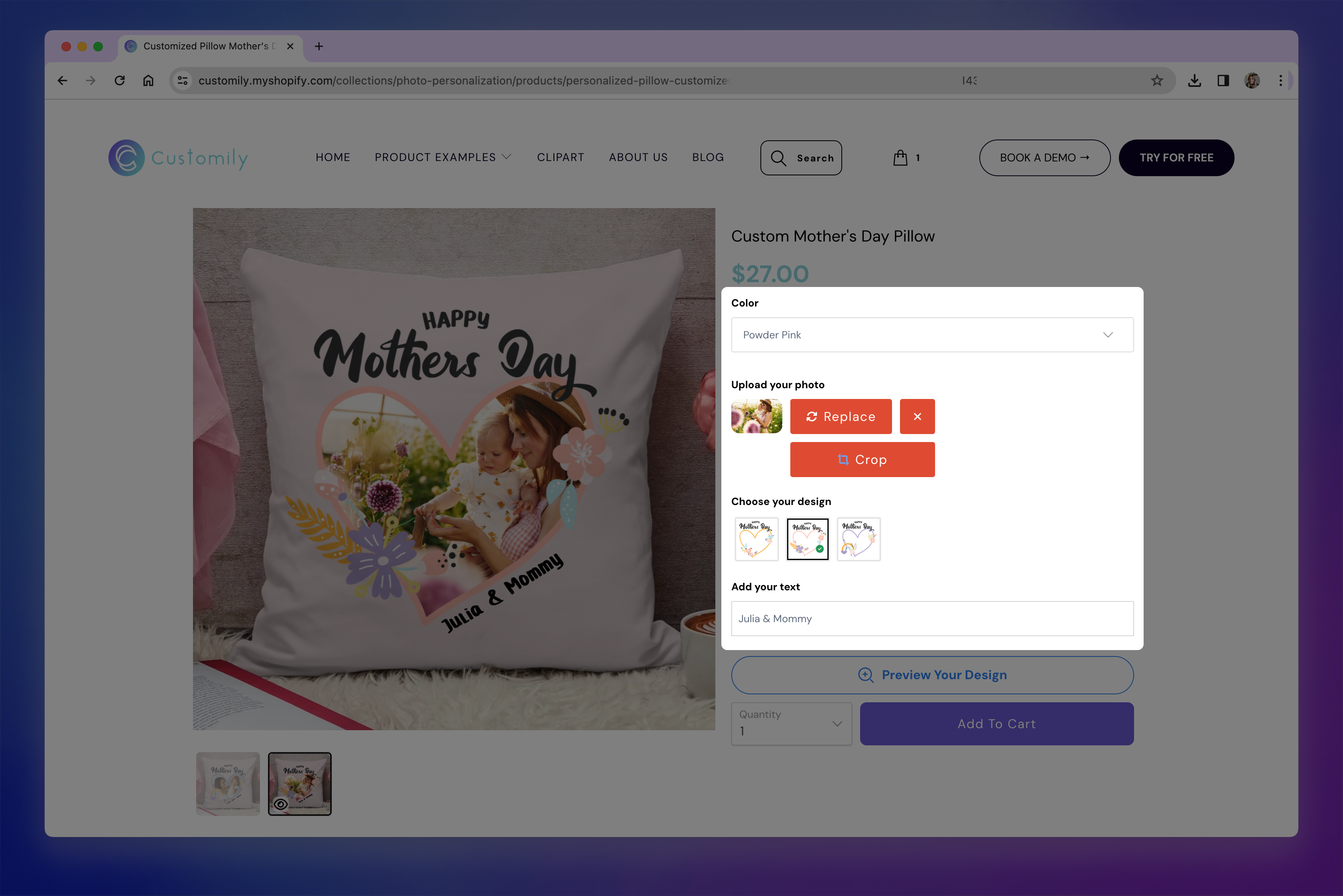
What’s Included in an Option Set
Each option set includes a list of input fields, also called options. Each of these options is connected to a specific element in your design — such as a text box, image placeholder, or dynamic image — and controls how that element gets personalized.
For example:
A text input may be linked to a name or message in your design.
A swatch may change the color of a text or a font.
A dropdown may let shoppers choose between multiple clipart styles.
A calendar input may let them select a meaningful date.
You can customize how these options look and behave in your store, to match your product and offer the best buying experience.
Where Do Option Sets Come From?
Option sets are generated automatically when you:
Create a new design in the Design Studio.
Link a template with a product manually.
You can also create option sets manually from scratch, without using a design or template— but this is recommended only for advanced users with complex personalization workflows.
Learn more about how Option Sets are created here.
No matter how an option set was created, you can always edit it later. You’ll be able to change option labels, rearrange their order, delete or clone inputs, and even adjust how each option looks and behaves on your storefront.