What is a Design?
Last updated: October 19, 2026
In Customily, a Design is the artwork your shoppers will personalize. It includes all the visual elements and personalization features that make your product customizable, such as names, photos, clipart, or custom maps.
Think of it as the customizable artwork that goes on your product. When shoppers personalize a product, they're interacting with its Design.
What does a Design include?
Every Design contains two main components:
Artwork elements: Everything visible in your Design, including personalizable elements like editable text, uploaded photos, clipart, or dynamic maps, as well as static elements like decorative text, frames, and backgrounds.
An automatically generated Option Set: The personalization form shoppers see on your storefront, with inputs such as text fields, color swatches, dropdowns, and image upload buttons.
Each personalizable element in your Design is connected to an option in the Option Set, so shoppers can see their changes instantly in the live preview.
Where are Designs used?
Designs can be applied to different Product Bases, including Print-on-Demand (POD) products and your own products.
Customily lets you use the same Design across multiple products, adjusting its size and placement to fit each product's print area. For example, you can use the same artwork on mugs, t-shirts, or blankets without recreating it.
Ways to work with Designs
There are three ways to work with Designs in Customily.
Use a ready-made Customily Design
Customily provides a gallery of ready-made, royalty-free Designs that you can apply directly to your products.
These are ideal if you want to start selling personalized products quickly without creating artwork from scratch.
See 📄 Using a Customily Design
Create your own Design from scratch
You can build a Design using Customily's Design Studio, adding your own artwork and personalization elements.
Creating your own Designs gives you complete creative freedom. You can:
Match your brand's style.
Offer unique personalization options.
Customize the Option Set to control how shoppers personalize your products.
Reuse your artwork across different products.
See 📄 How to create a new Design
Customize a Customily Design
You can also start with a ready-made Customily Design and modify it in the Design Studio.
Change the artwork, add or remove elements, or rearrange the layout to create a Design that fits your brand.
See 📄 How to Modify a Customily Design to Create Your Own
Where can I find my Designs?
All the Designs you create or customize are saved under My Designs in your Customily dashboard.
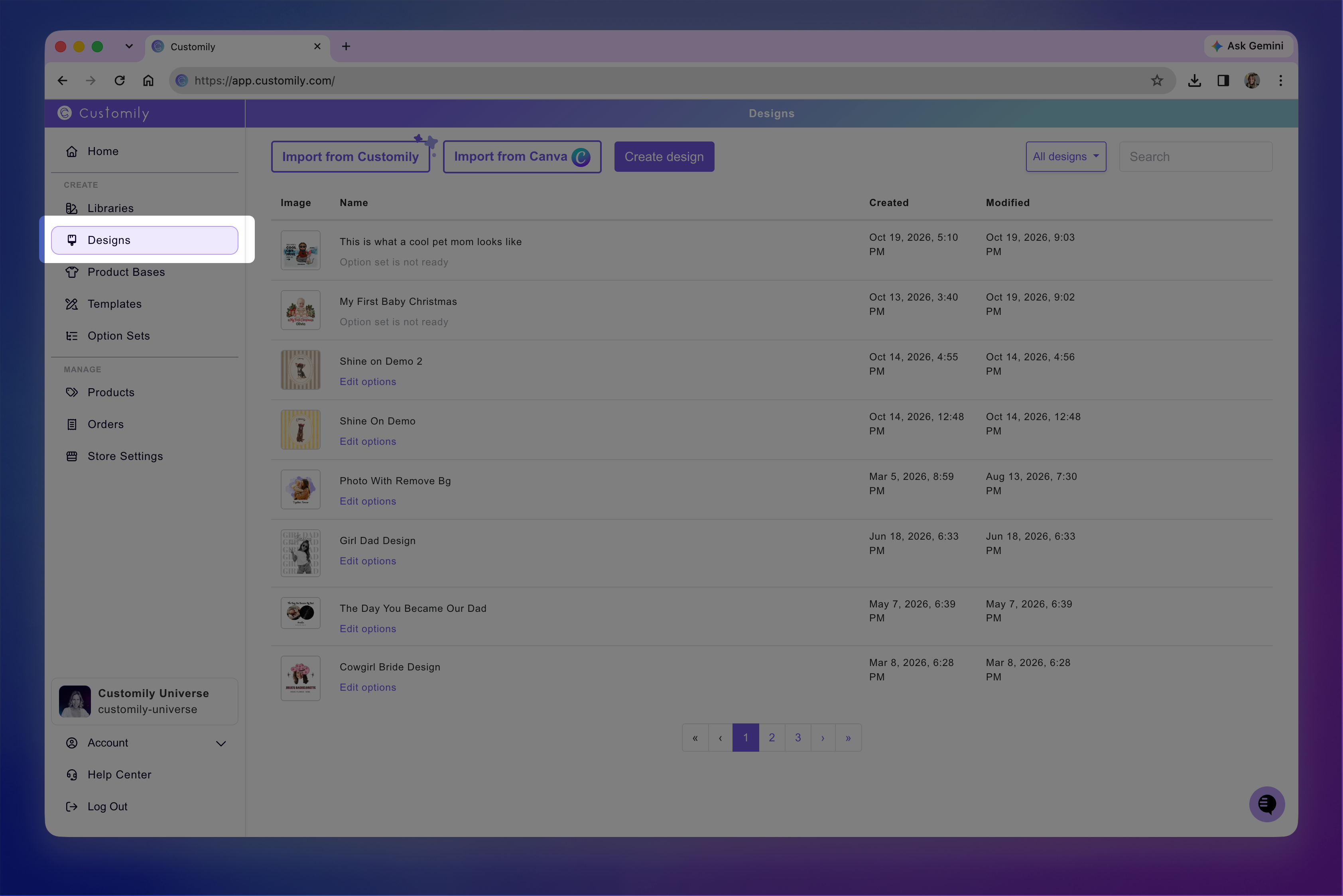
From there, you can:
Create new Designs.
Open and edit existing Designs.
Clone or delete Designs.
Rename Designs or update their thumbnails.
See 📄 My Designs panel overviewfor instructions on working with your saved Designs.