Understanding Products
Last updated: October 13, 2026
The Products section is where you can find the products from your ecommerce store and manage how they work with Customily's personalization features.
Whether you're creating a new personalized product or adding personalization to one you already sell, this is where you can manage its Template, Option Set, and other personalization settings.
How products work with Customily
Products in your store can be connected to Customily to offer shoppers a personalized shopping experience.
To make personalization work, each product needs two main components:
Template: Controls the product's live preview and generates the print-ready files needed for production.
Option Set: Defines the personalization options shoppers interact with, such as text fields, image uploads, and swatches.
Together, these components allow shoppers to customize a product, see their changes in real time, and place an order with their personalized design.
Creating and connecting products
You can create a new personalized product through Customily by combining a Product Base and a Design. Customily automatically generates the Template and Option Set and connects them to the new product.
You can also add personalization to a product already listed in your store by assigning a Template and Option Set to it.
Once connected, you can manage the product's personalization setup from the Products section.
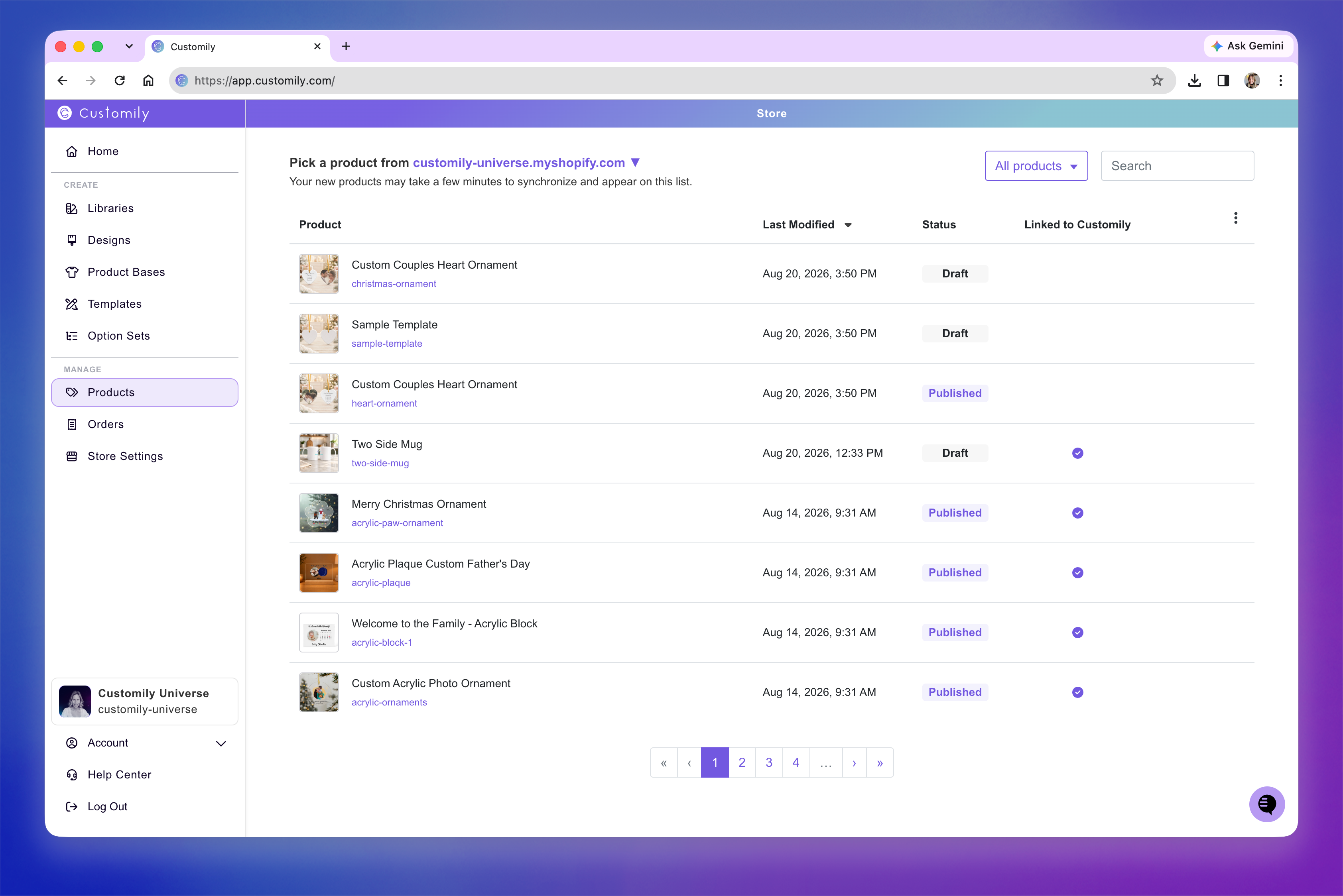
To learn more about managing your products, see 📄 Products overview
If you're ready to get started, see 📄 Choose the best way to create a personalized product.