Product appears out of stock or unavailable on your storefront
Last updated: October 6, 2026
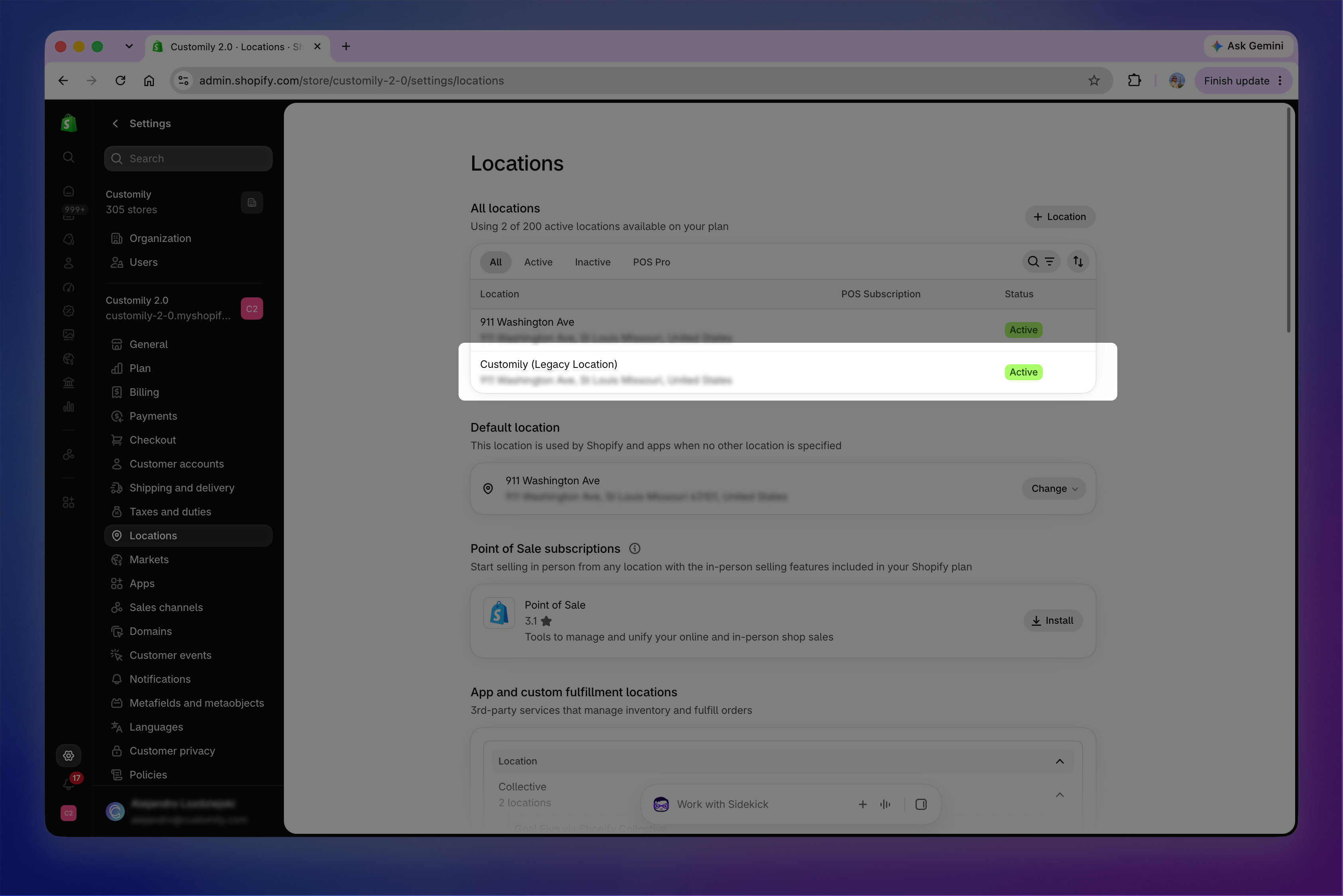
If a product using Customily appears out of stock or unavailable on your storefront, check that the Customily (Legacy Location) is enabled for fulfillment and shipping.
From your Shopify admin, go to Settings → Locations, and open Customily (Legacy Location).
Make sure Use inventory at this location to fulfill online orders is turned on. Make sure Shipping is also turned on for the location.
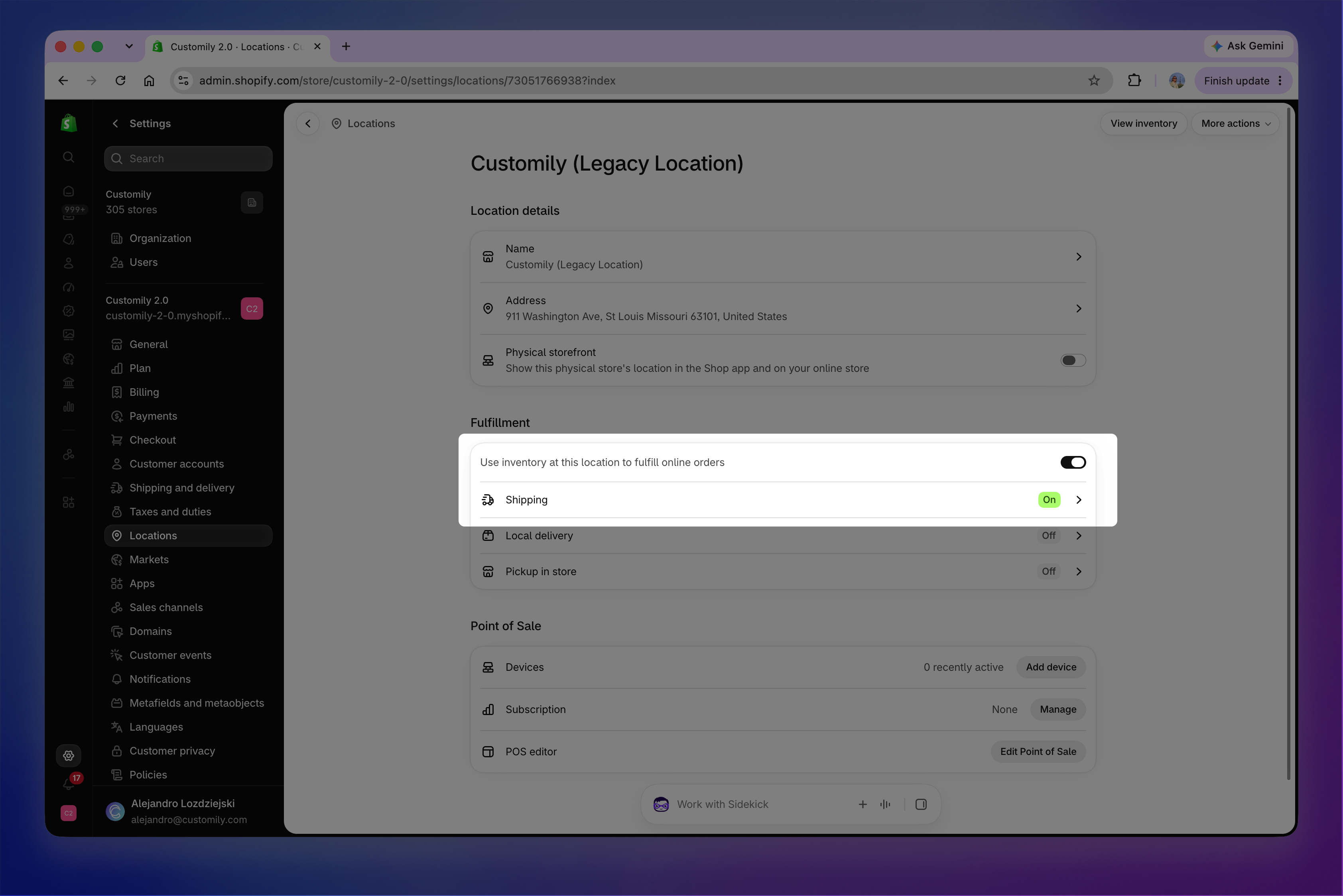
If Shipping is off, click it to open your Shipping and delivery settings. Choose the shipping profile you want to use and open it. Under Fulfillment locations, click Add location, select Customily (Legacy Location), and save your changes.
Once both fulfillment and shipping are enabled, check the product again on your storefront.