What is a template?
Last updated: May 4, 2026
Templates are the backbone of Customily. They contain everything needed to turn a product into a personalized experience.
A template defines two key things:
The print file (the file that will be produced for each order)
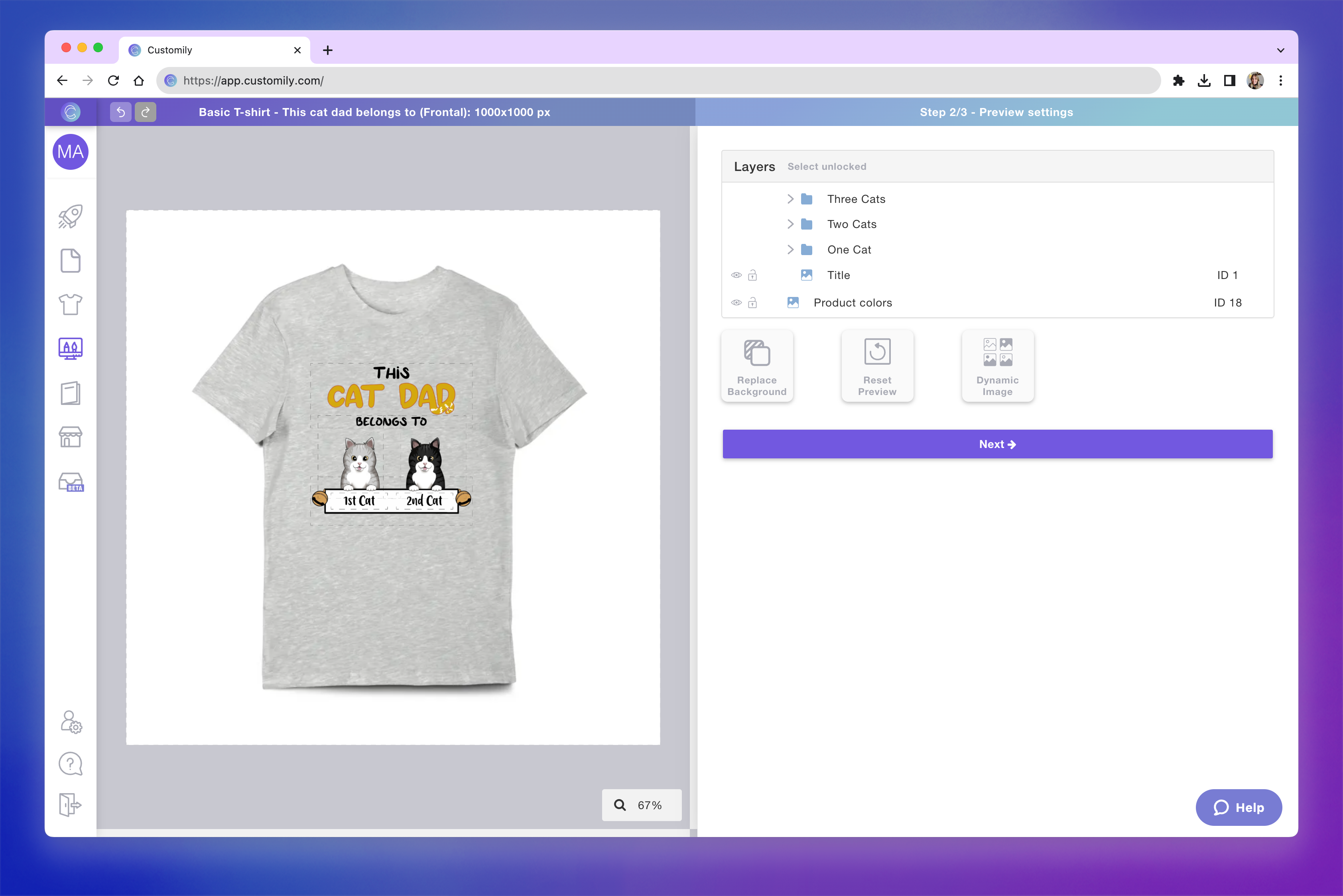
The preview (the mockup shoppers see while personalizing the product)
You can think of a template as the complete blueprint of your personalized product, connecting both production and presentation.
In order for a product listing to offer personalization, it must be connected to a template.
What does a Template include?
Every template is built around two core components:
🖨 Print file
The print file (also called the production file) defines everything needed to create the final product:
Size and dimensions
File format and quality
Position of all personalized elements
This is the file that will be generated for every order and sent to production.

👀 Preview (mockup)
The preview is the interactive mockup shown in your store.
It displays the same personalization, but placed on product images to create a realistic experience for shoppers.
Unlike the print file, the preview can include:
Product photos
Textures and effects
Visual enhancements that don’t affect production
Why are Print file and Preview separate?
This is one of the most important concepts to understand.
The print file and the preview are intentionally separate so you can optimize each independently:
The print file focuses on accuracy and production requirements
The preview focuses on visual quality and conversion
For example:
A print file might be solid black for engraving
The preview can show a textured metal or wood effect
This separation gives you full control over both the final product and the shopping experience.
How Templates are created
Templates are created by combining:
A Product Base (the product and its print setup)
A Design (what shoppers will personalize)
When you select both, Customily automatically generates a template that connects them, defining the print file and preview.
You can also create templates manually by configuring the print file and preview yourself.
How Templates fit into your store
Templates are what connect your products to Customily.
When a template is linked to a product listing:
Shoppers can personalize the product
Customily generates the print file automatically for each order
Without a template, a product cannot be personalized.