Where can I find my Merchize API Key
Last updated: April 28, 2026
- Login to your Merchize account, or register with them here if you don't have an account yet.
-
Go to "Integrations" on the left menu and click API.

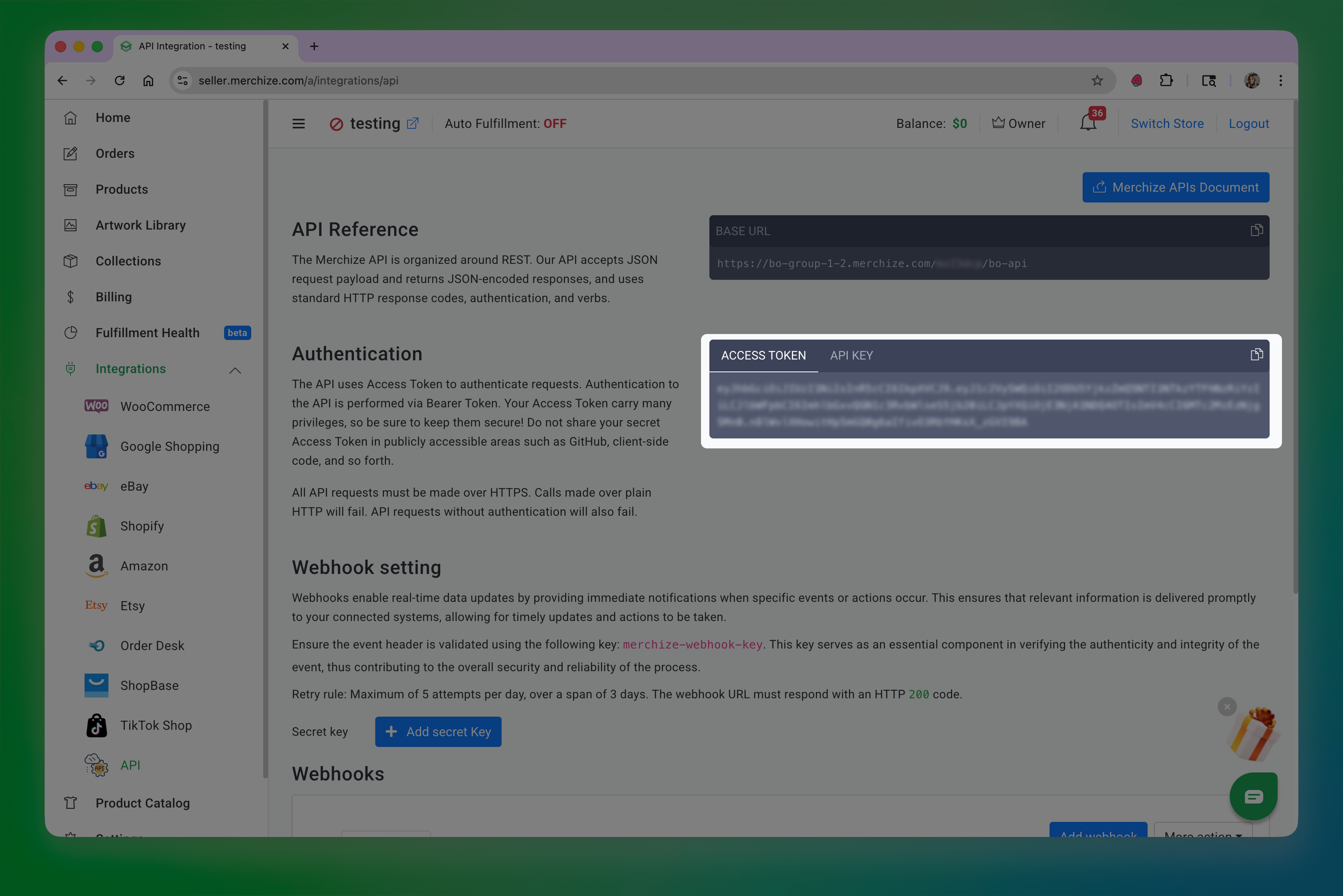
- Find your default store, and copy the access token, this will be used in the API Key input in Customily.
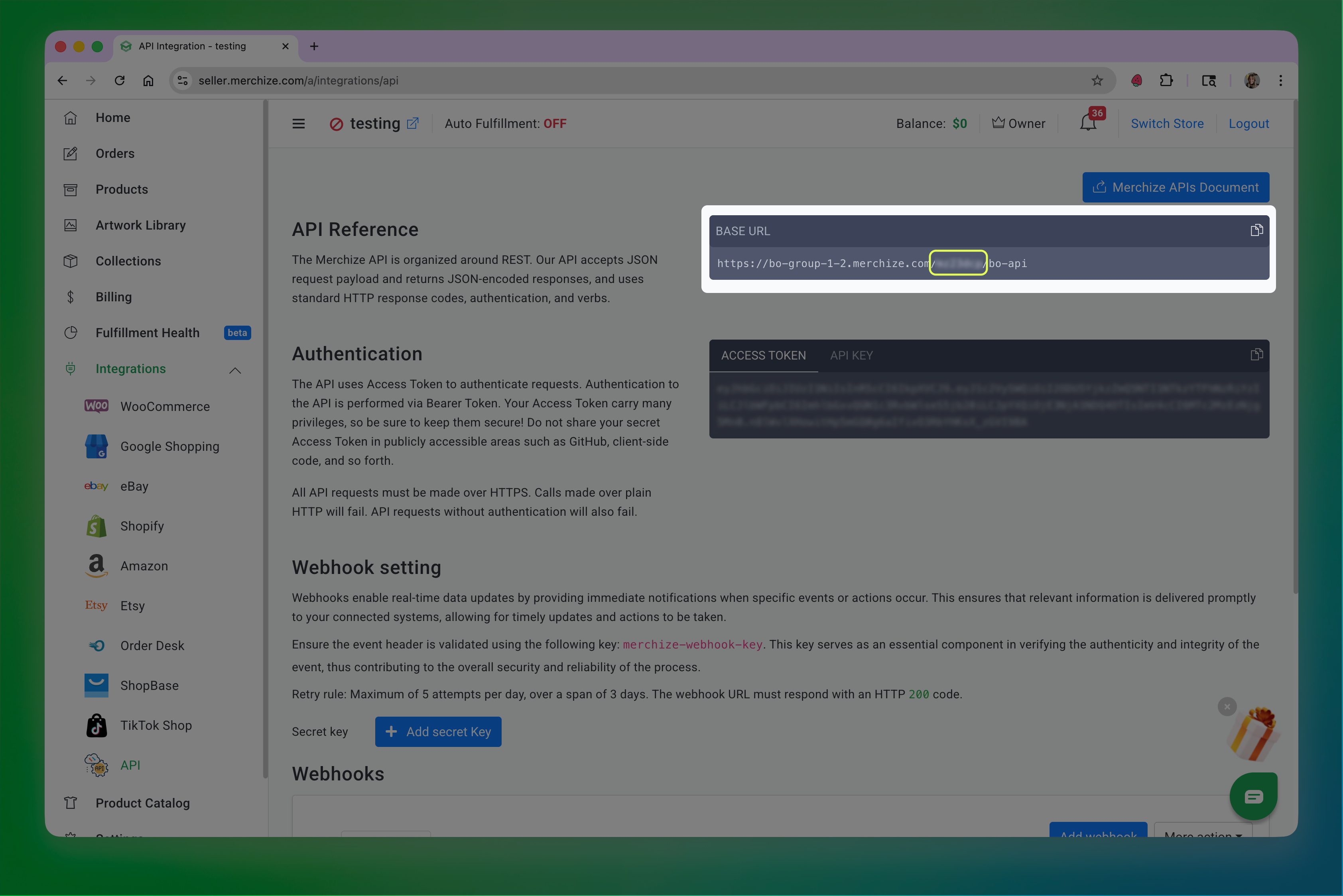
- Find your Base URL section,and copy the 7 character string on the URL right before /bo-api. This will be used in the API Signature input in Customily.
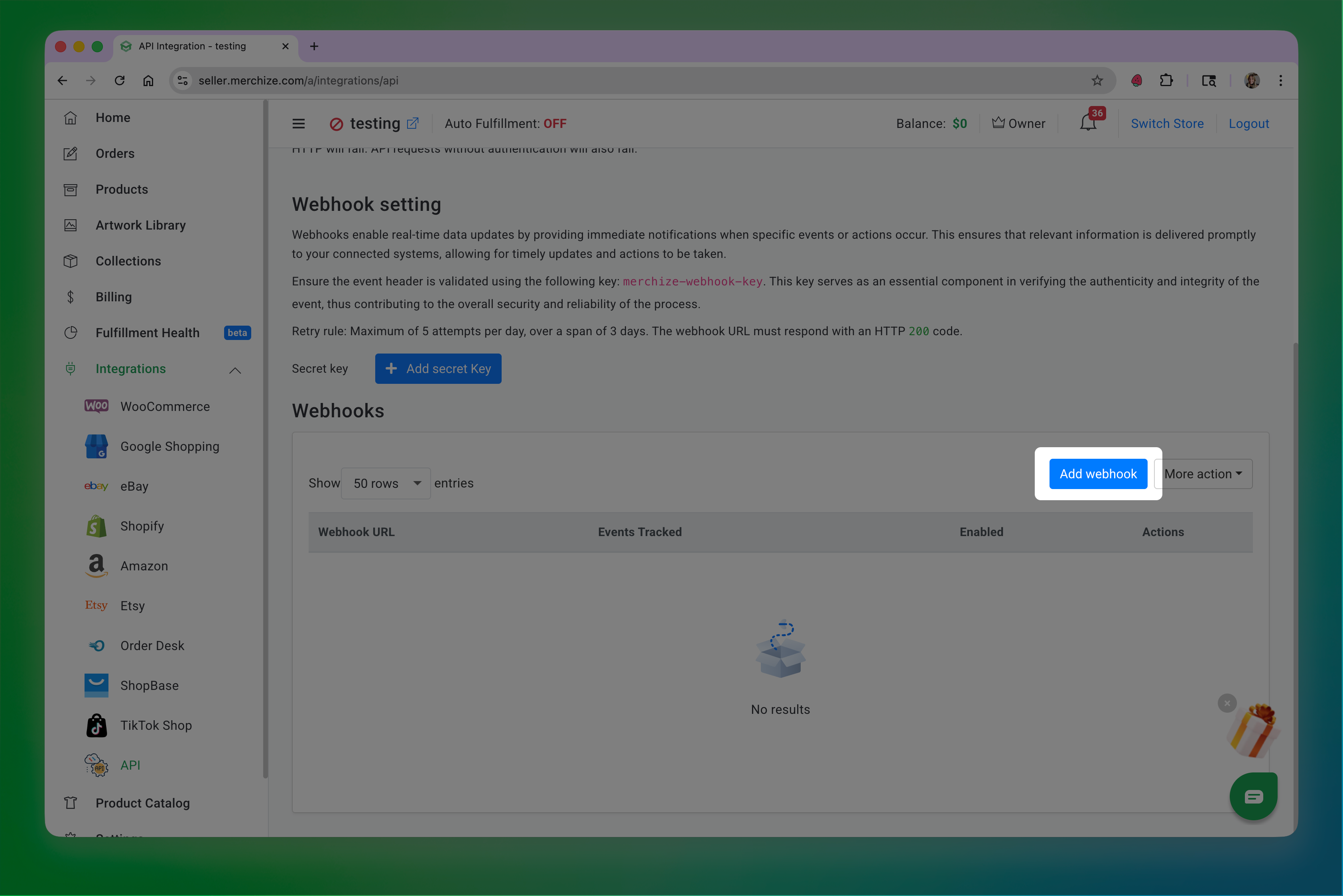
- If you havent already, make sure you add Customily's webook to your stores configuration in Merchize. To do that, scroll down to the webhook section, click Add webhook.
-
Paste the following URL on the Webhook Endpoint
https://sh.customily.com/provider/hooks/orderShipped?provider=merchizeAnd select the event: Order changed tracking
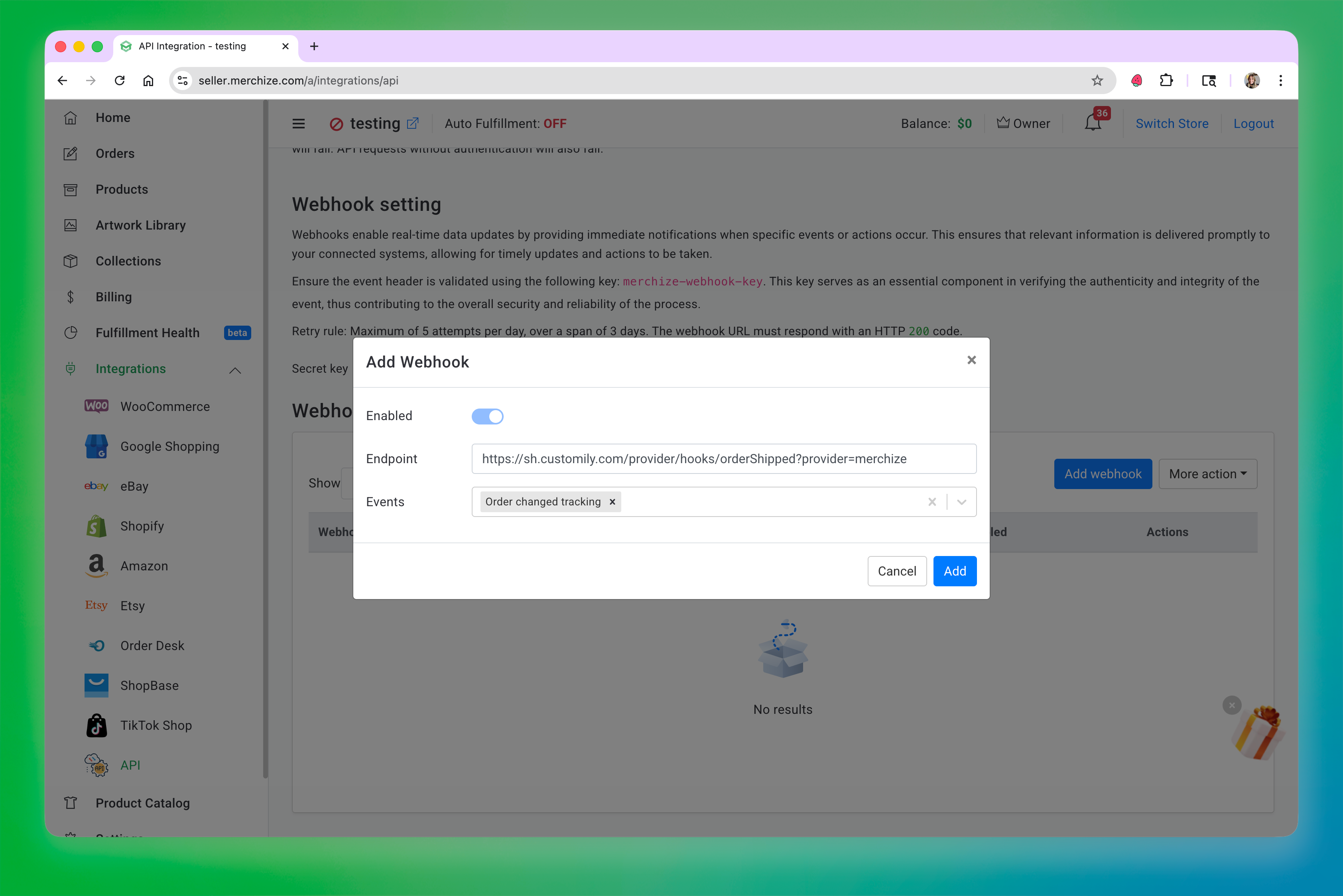
Click Add to save the webhook.