Enable Sticky Preview
Last updated: September 23, 2026
Sticky Preview keeps the live preview visible as shoppers scroll through the personalization options. This is especially useful for products with longer personalization forms, where the preview would otherwise move out of view as shoppers continue down the page.
You can enable Sticky Preview independently for desktop and mobile devices.
Note
Sticky Preview is available when Product Page Preview is selected as the Preview Style.
Learn more here: 📄 Choose your Preview Style
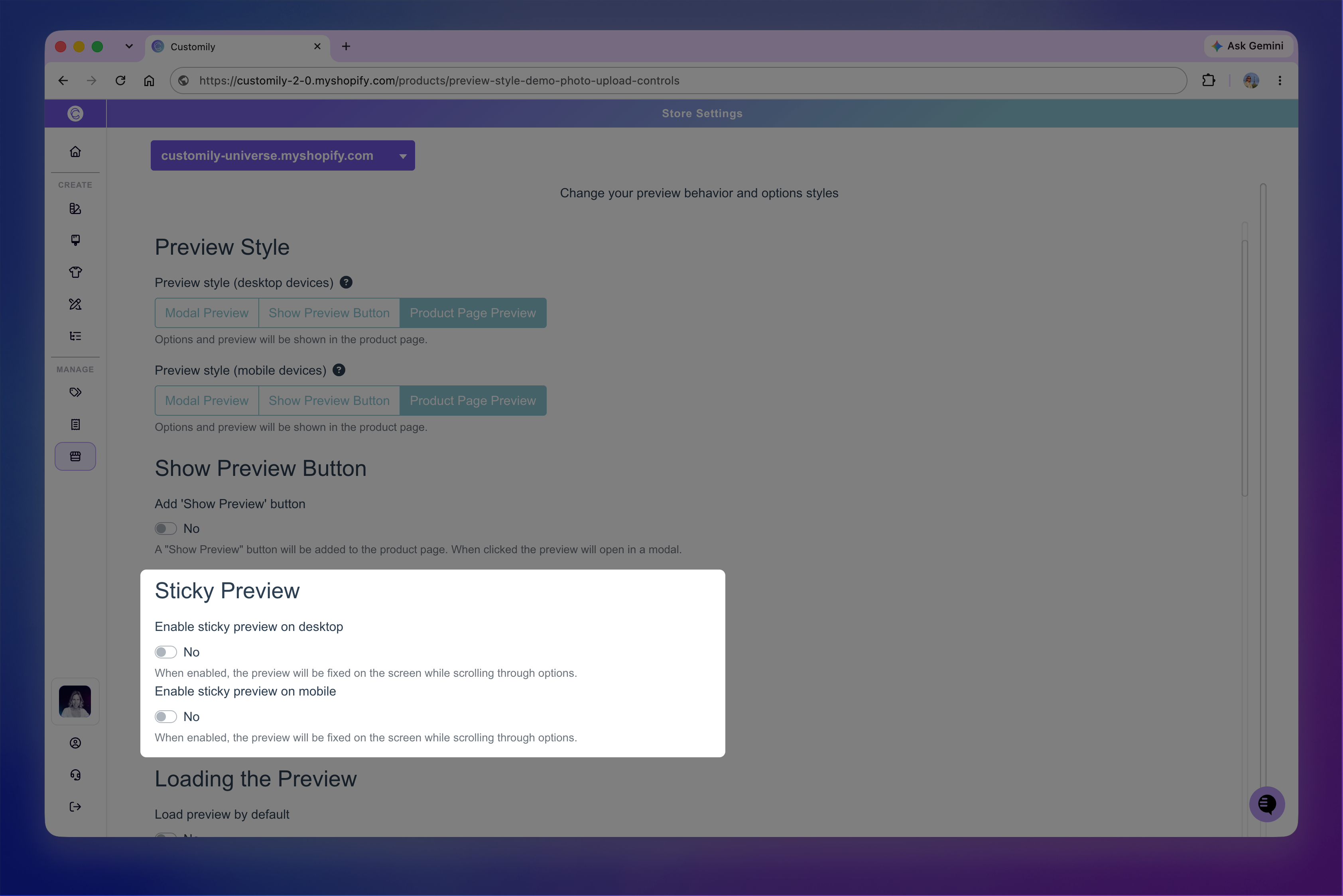
Enable Sticky Preview
Go to Store Settings.
Open Preview Behavior.
Make sure Product Page Preview is selected for the device you want to configure.
Enable Sticky Preview for desktop or mobile.
Save your changes.
Keep in mind
Sticky Preview behavior can vary depending on your store theme and product gallery. After enabling it, test your product page to make sure the preview remains positioned correctly while scrolling. If you notice any issues, disable Sticky Preview and contact our Support team.
Sticky Preview on desktop
We recommend enabling Sticky Preview for desktop devices, especially for products with longer personalization forms. As shoppers scroll through their options, the preview stays in view so they can immediately see how each choice changes their design.
Sticky Preview on mobile
You can also enable Sticky Preview for mobile devices. The preview remains visible as shoppers scroll, just like on desktop, but it takes up part of the more limited screen space available for personalization options.
For products with longer or more complex personalization flows, we generally recommend using Modal Preview on mobile instead. It provides a mobile-friendly experience designed to balance the preview and personalization options.
Another good alternative is Show Preview Button, which lets shoppers focus on the personalization options and open their preview when they want to see the design in more detail.
Tip
You can choose different Preview Styles for desktop and mobile. For example, you can use Product Page Preview with Sticky Preview on desktop and a more mobile-friendly Preview Style on smaller screens.