Arranging elements order
Last updated: April 28, 2026
You can change an element's order easily by using the Layer Panel or the Transform Toolbox.
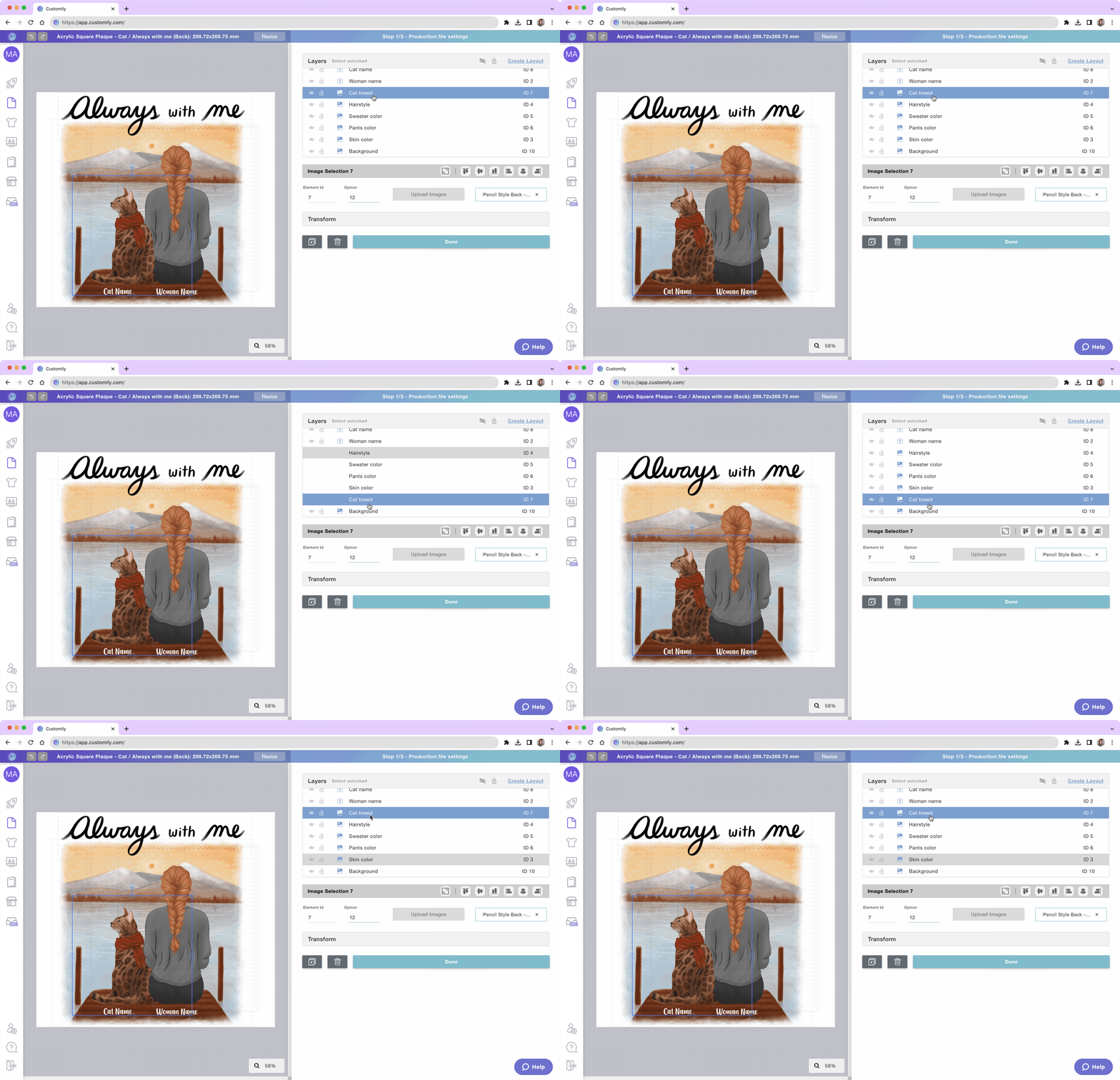
Change element position using the Layer panel
Expand the Layer Panel
Select the element
Drag it until you reach the desired position
Drop your element
Tip
This is the easiest and fastest method to arrange your layers.
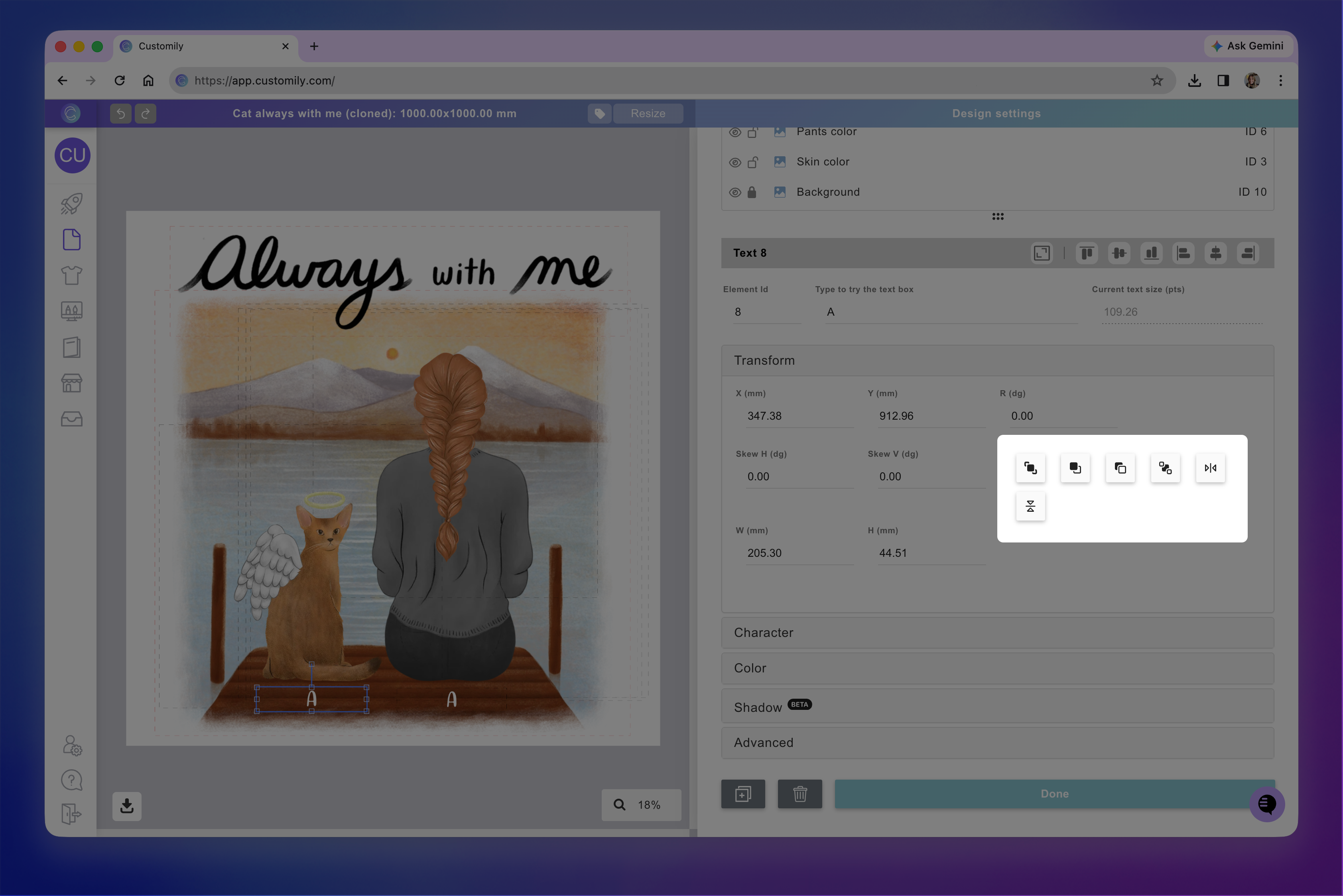
Change an element's position using the Transform Toolbox
Select the element on the workspace
Toggle the Transform Toolbox
Click move forward or move backward buttons
Elements are moved one position at a time forward or backward. If you want to send an element to the back click the button as many times as necessary to move the element several positions.