Upload custom fonts
Last updated: April 28, 2026
By default, Customily comes with a small font collection. The idea is for you to add your own fonts so you can make your own designs. You can add as many fonts as you wish, and all you need to have is the .ttf or .otf font file.
Important
All the fonts you upload will be exclusive to your user, and only you will have access to them
Make sure that you have the rights to use the fonts you upload
Make sure the font file you use has no strange characters on its name such as ¤ , ¶ , § , © , ®
You can upload fonts in TTF or OTF formats
To upload a new font
Select any text element
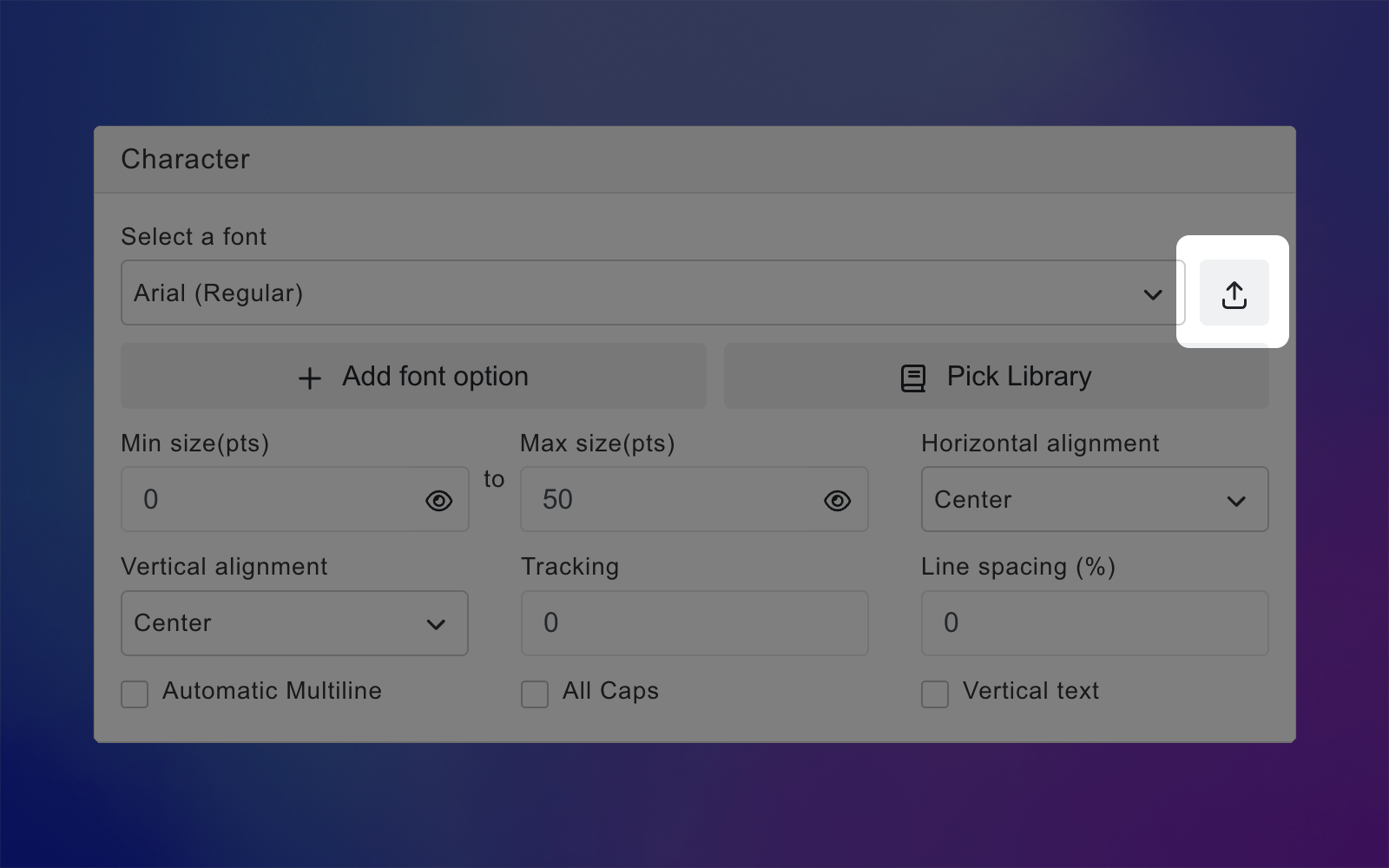
Expand the Character toolbox
Click on the upload button next to the Select a font list
Choose any TTF or OTF font file from your drive
The font will be automatically added to your font list for you to choose it
Tip
If you upload a font but when you use it, it doesn't show in the text, it could be that the upload was unsuccessful.
To troubleshoot the issue convert the original font file to another file type (from TTF to OTF or the other way round), change its name, and re-upload it. You can find an online converter here. If the font still doesn't work contact our support team.
To delete a font
You will be able to delete fonts only if they are not being used in any text element. If a font is being used (even if it's on a different design or template) a dialog will let you know where it's being used so you can change them, and then try to delete the font again.
Select any text element
Expand the Character toolbox
Click to expand the Select a font list
Click 🗑 next to the font name
Click Ok on the confirmation dialog