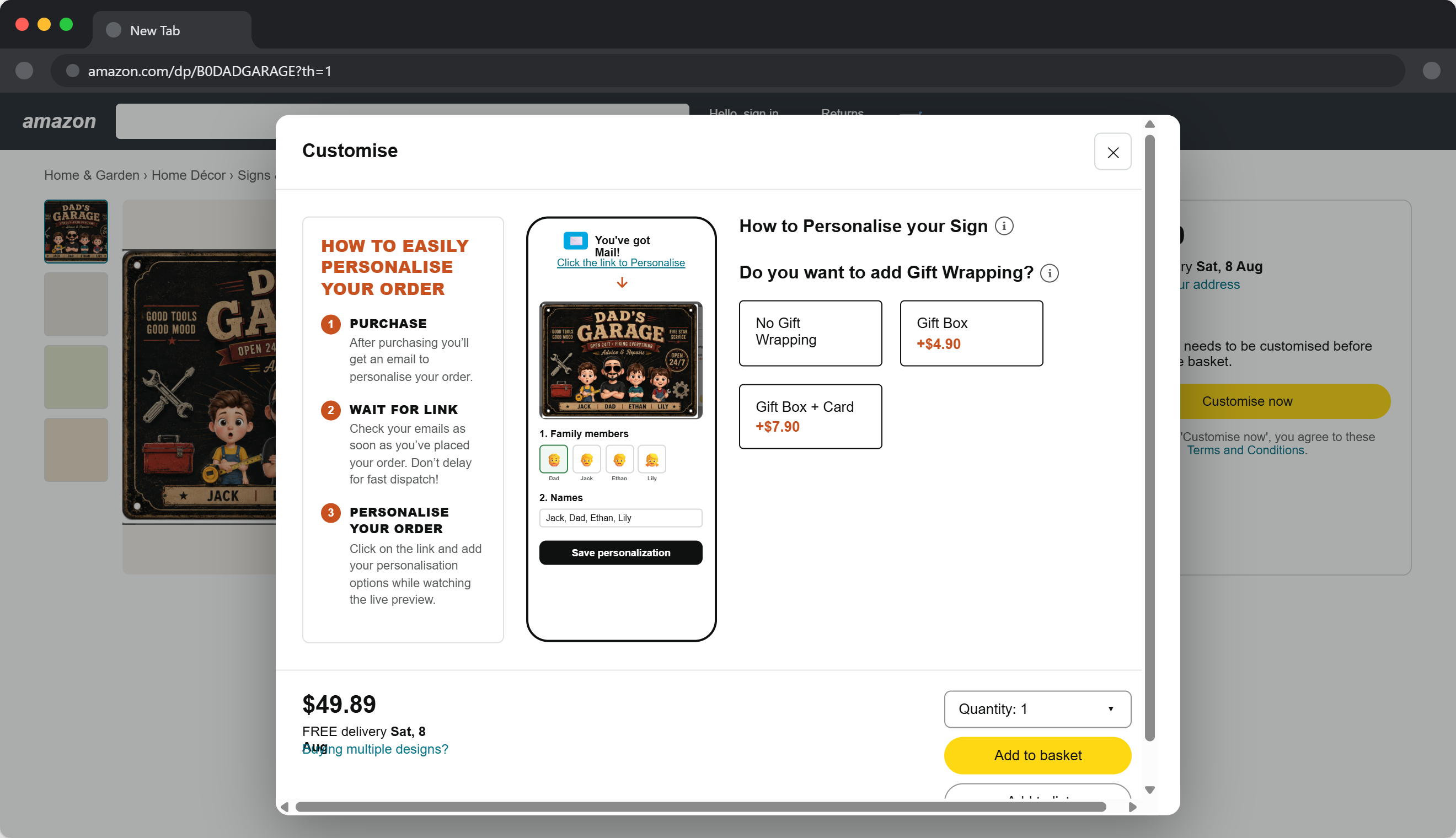
Amazon Post Purchase Personalization
Last updated: August 6, 2026
With Amazon Post Purchase Personalization, shoppers complete their customization after placing their order. Once the personalization is submitted, Customily automatically generates the corresponding print file(s) for fulfillment.
How it works
The shopper experience is simple:
The shopper places an order on Amazon.
Amazon sends a message requesting personalization.
The shopper opens the personalization link and customizes their product.
Customily receives the personalization data.
Customily automatically generates the print file(s) for production.
Before you begin
Before enabling Post Purchase Personalization, make sure you have:
Created a Template.
Created an Option Set.
Linked the Template and Option Set to your Amazon product.
Set the Personalization Mode to Post-Purchase
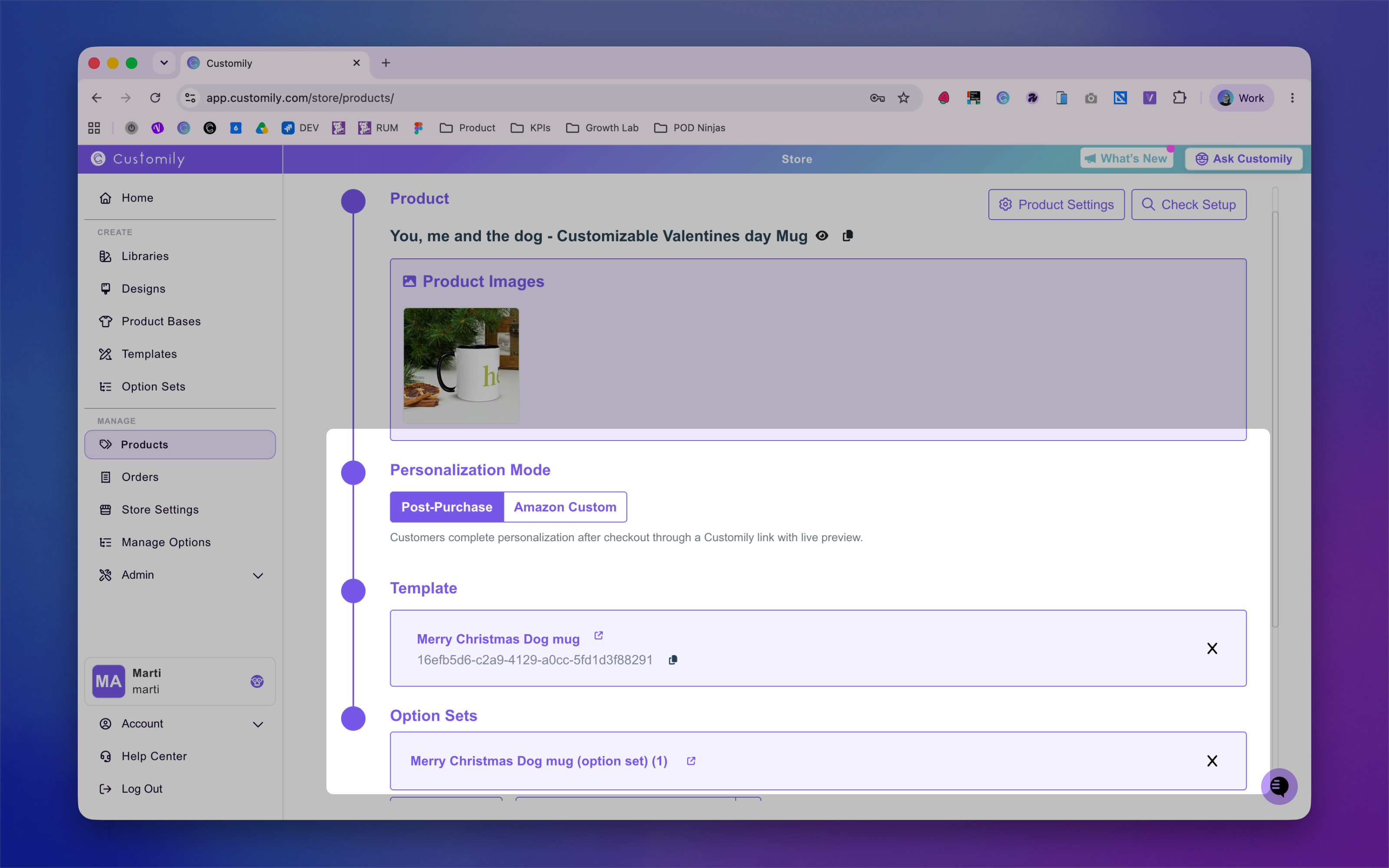
For more information on the Amazon Custom Mode, go to 📄 Amazon Custom print file generation
Configure the Amazon personalization message
After connecting your Amazon account, you can customize the message Amazon sends to shoppers requesting their personalization.
Navigate to: Store Settings → General → Amazon Personalization Message
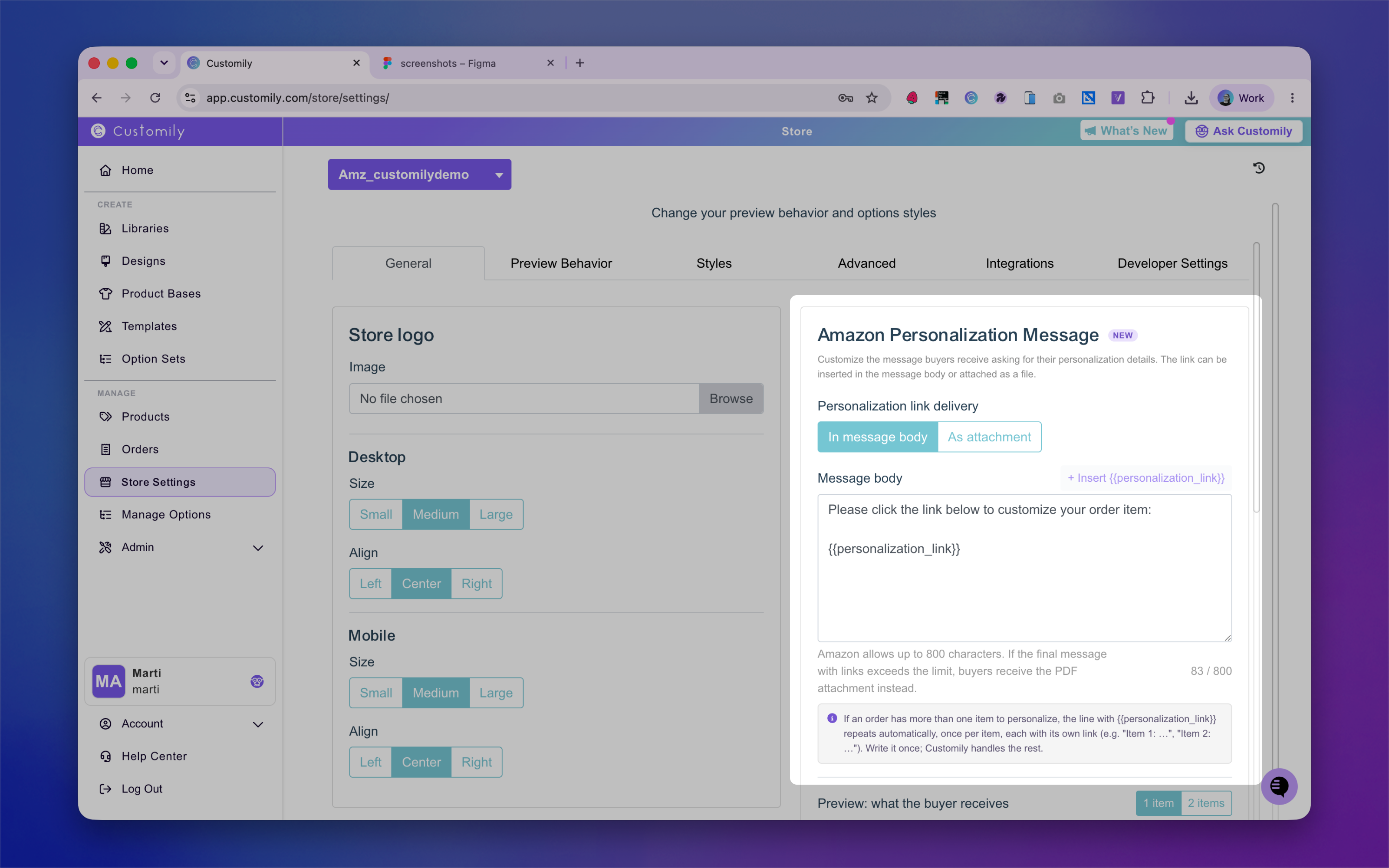
Here you can choose how shoppers receive the personalization link and preview your setup.
In message body (Recommended): The personalization link is included directly in the Amazon message. This is the recommended option because it provides the fastest experience for shoppers.
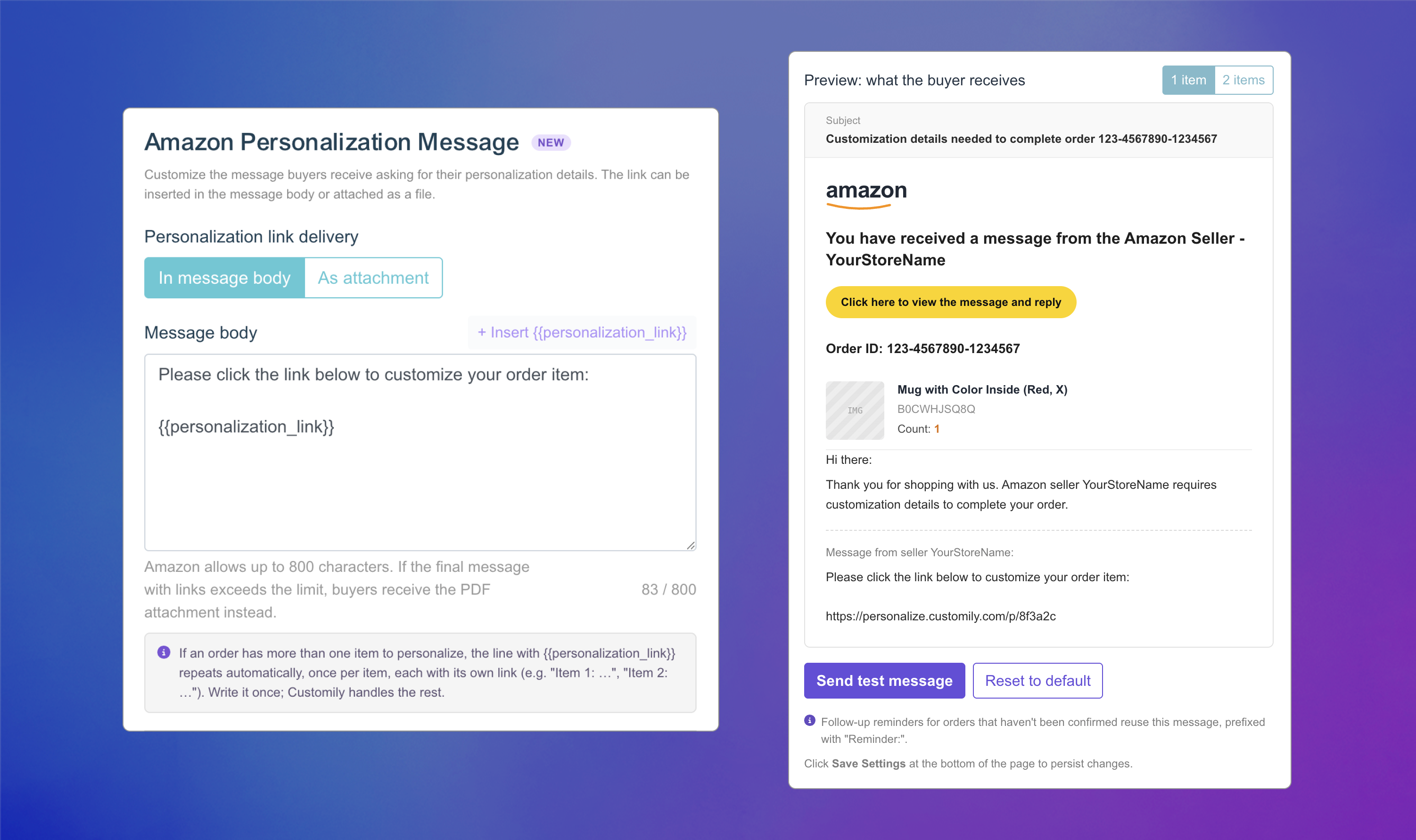
As attachment (Legacy): Instead of including the link directly, Amazon sends a message/email with a PDF attachment containing the personalization link. This option exists for compatibility with older Amazon behavior, when direct links could trigger warning messages before opening.
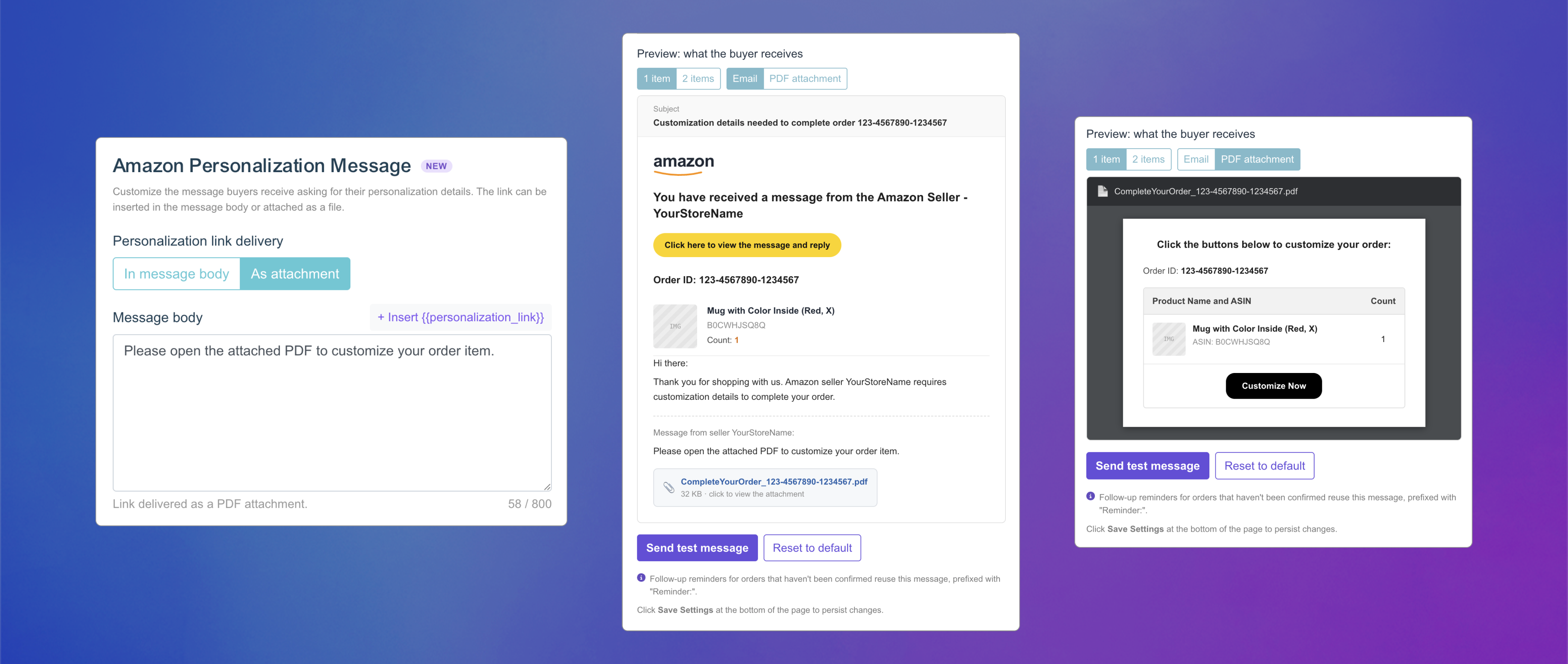
Reminder messages
If the shopper doesn't complete their personalization after receiving the first message, Amazon automatically sends reminder messages:
First reminder: 6 hours after the initial message
Second reminder: 12 hours after the initial message
What happens after personalization?
Once the shopper submits their personalization:
Customily receives the personalization data from Amazon.
The order is automatically processed.
Print file(s) are generated using the linked Template and Option Set.
Your fulfillment workflow can continue as usual.
Amazon product setup tip
Although this workflow doesn't use Amazon Custom to collect personalization, we recommend marking your product as customizable on Amazon. This changes the product page from Add to Cart to Customize now, giving you an opportunity to explain shoppers that personalization will take place after the purchase is completed, helping set the right expectations before checkout.
You don't need to configure any personalization options in Amazon. Instead, we recommend using this page to briefly explain the post-purchase personalization process and include an image illustrating the steps shoppers will follow after placing their order.