How to pause or cancel your Customily account
Last updated: May 7, 2026
Depending on what platform you are using Customily on, the ways to cancel are a bit different.
Pick the platform you are using, to learn how to cancel your subscription.
Shopify
To cancel your Shopify subscription, you only need to uninstall the Customily App from your Shopify store. Uninstalling the app will automatically cancel any ongoing subscriptions.
How to uninstall Customily from Shopify
Log in to your Shopify admin.
Go to Settings → Apps and sales channels.
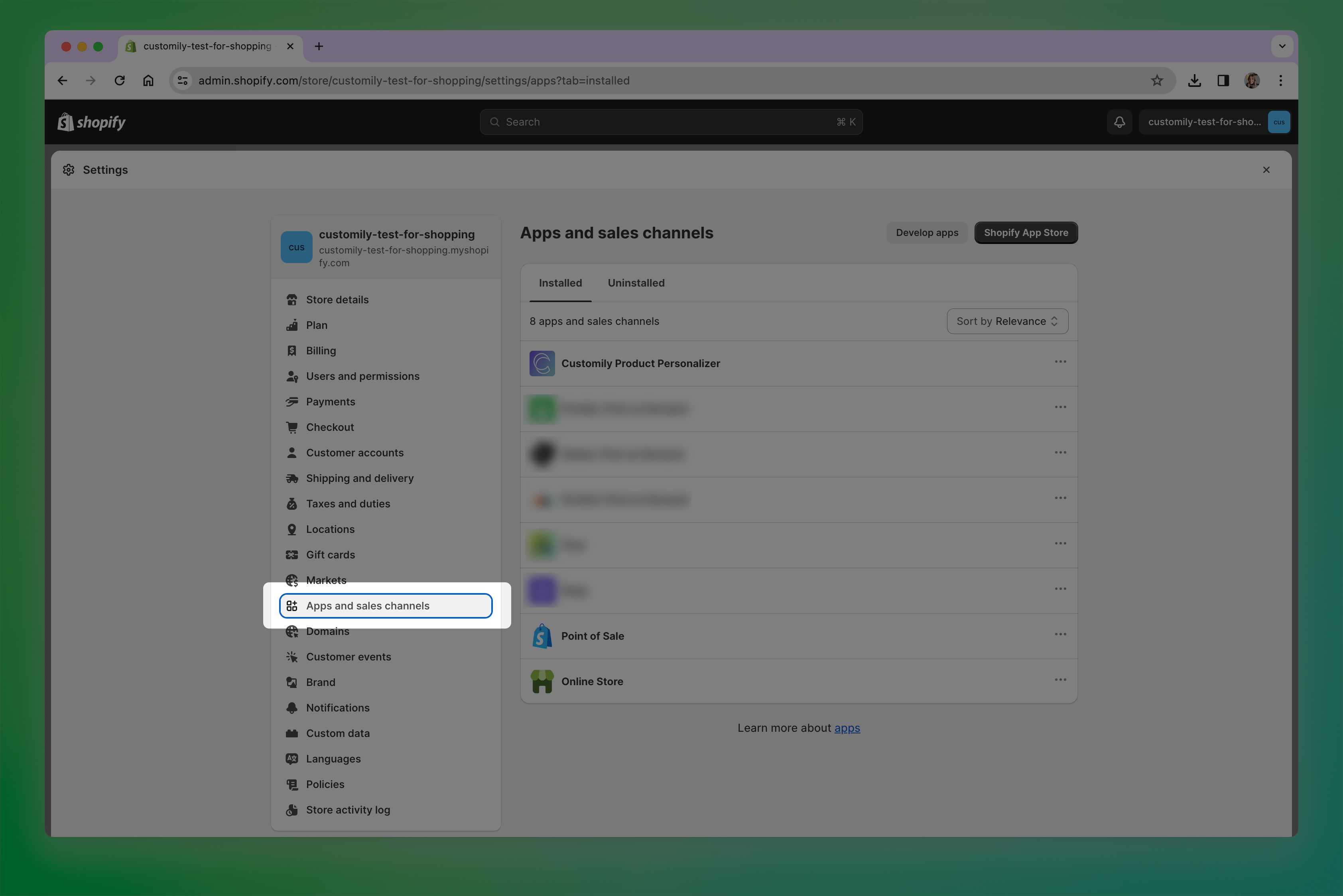
Find Customily Product Personalizer.
Click the three dots menu and select Uninstall.
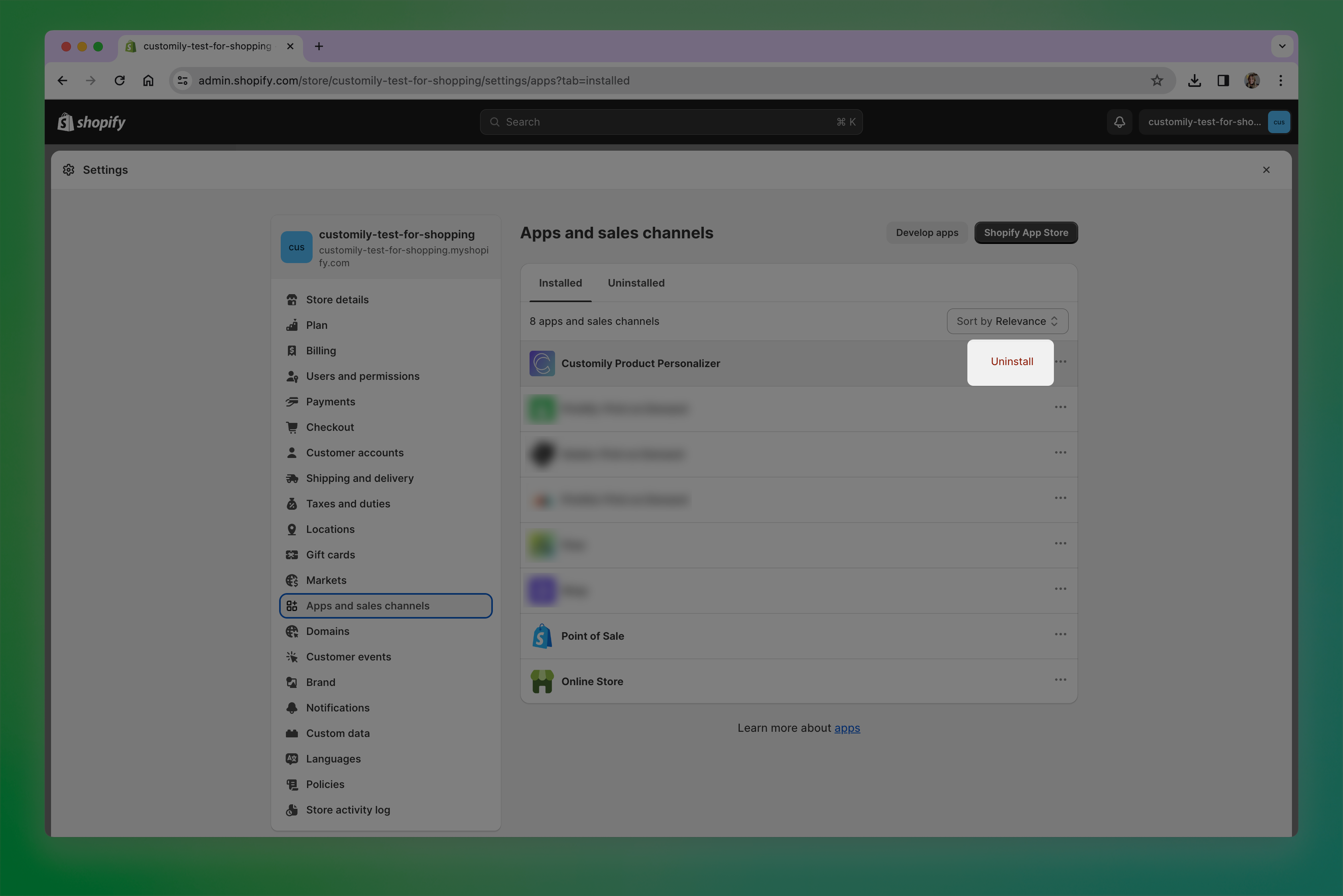
Confirm the uninstall.
Can I pause my account instead?
Shopify does not support pausing app subscriptions like Customily. The only way to stop billing is to uninstall the app from your Shopify store.
Don’t worry, uninstalling the app does not delete your content. Your templates, designs, libraries, products, and settings will remain saved, so if you decide to come back later, you can continue where you left off.
All other e-commerce platforms
To pause or cancel your subscription, follow the steps below.
Pause your account
Pausing your account temporarily disables personalization on your store while keeping all your Customily content saved, including your templates, designs, libraries, products, and personalization settings.
If you decide to come back later, you can simply reactivate your subscription and continue where you left off.
To pause your account:
Log in to your Customily account on app.customily.com/signin
On the left menu, go to Account and open the Billing tab
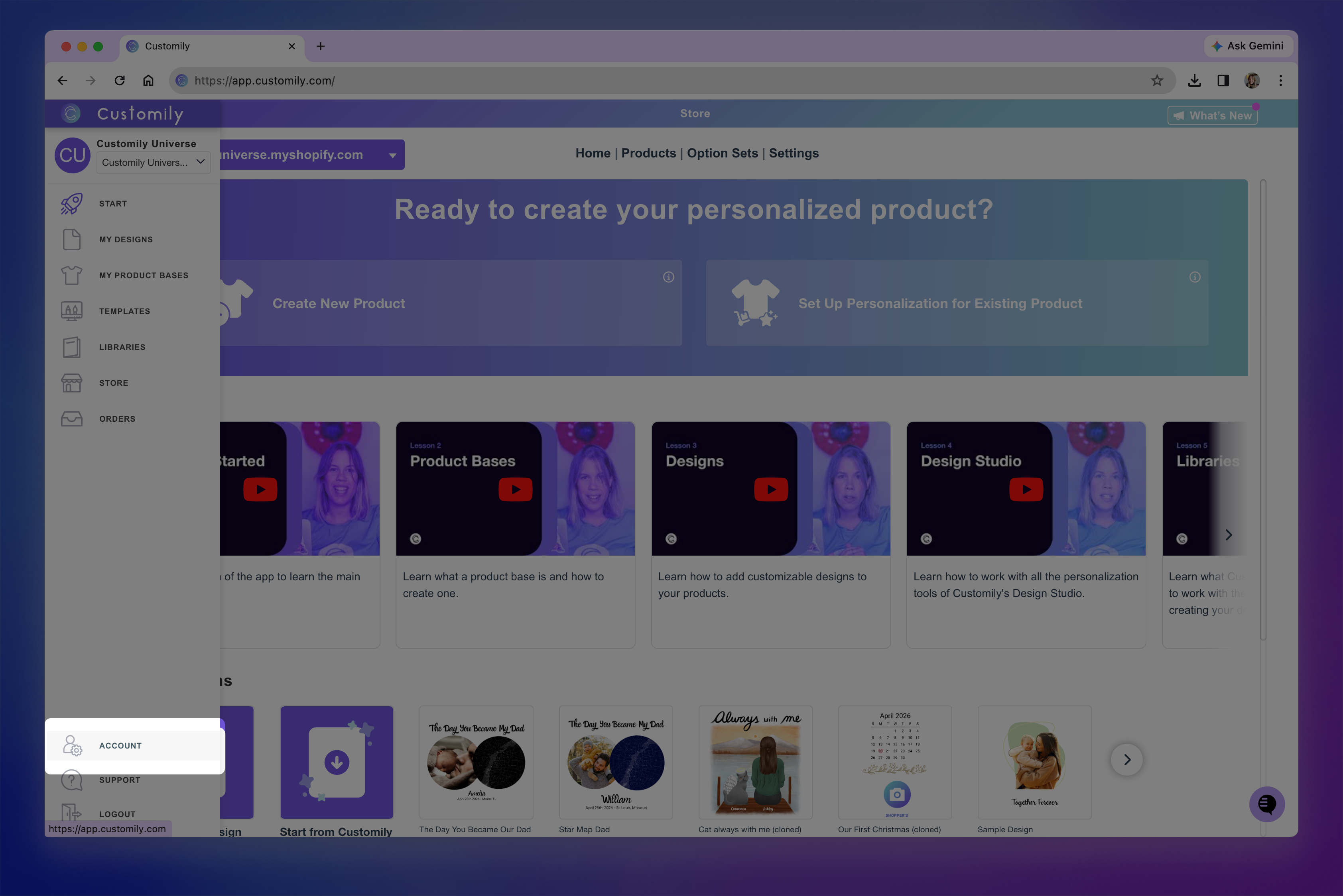
If you have multiple stores under the same account, select the store you want to pause from the top-left dropdown
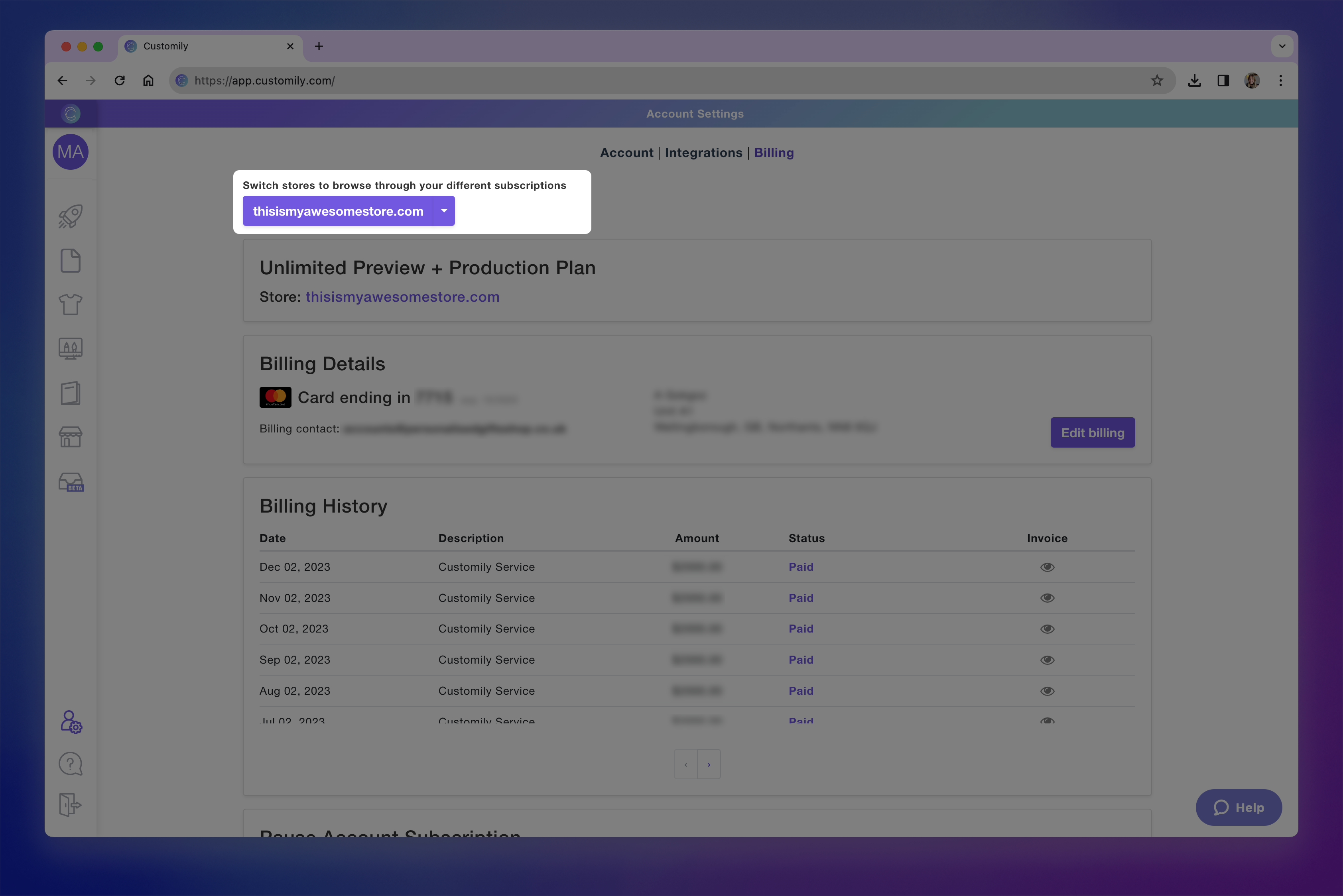
Scroll down to the bottom of the page
Select Pause subscription
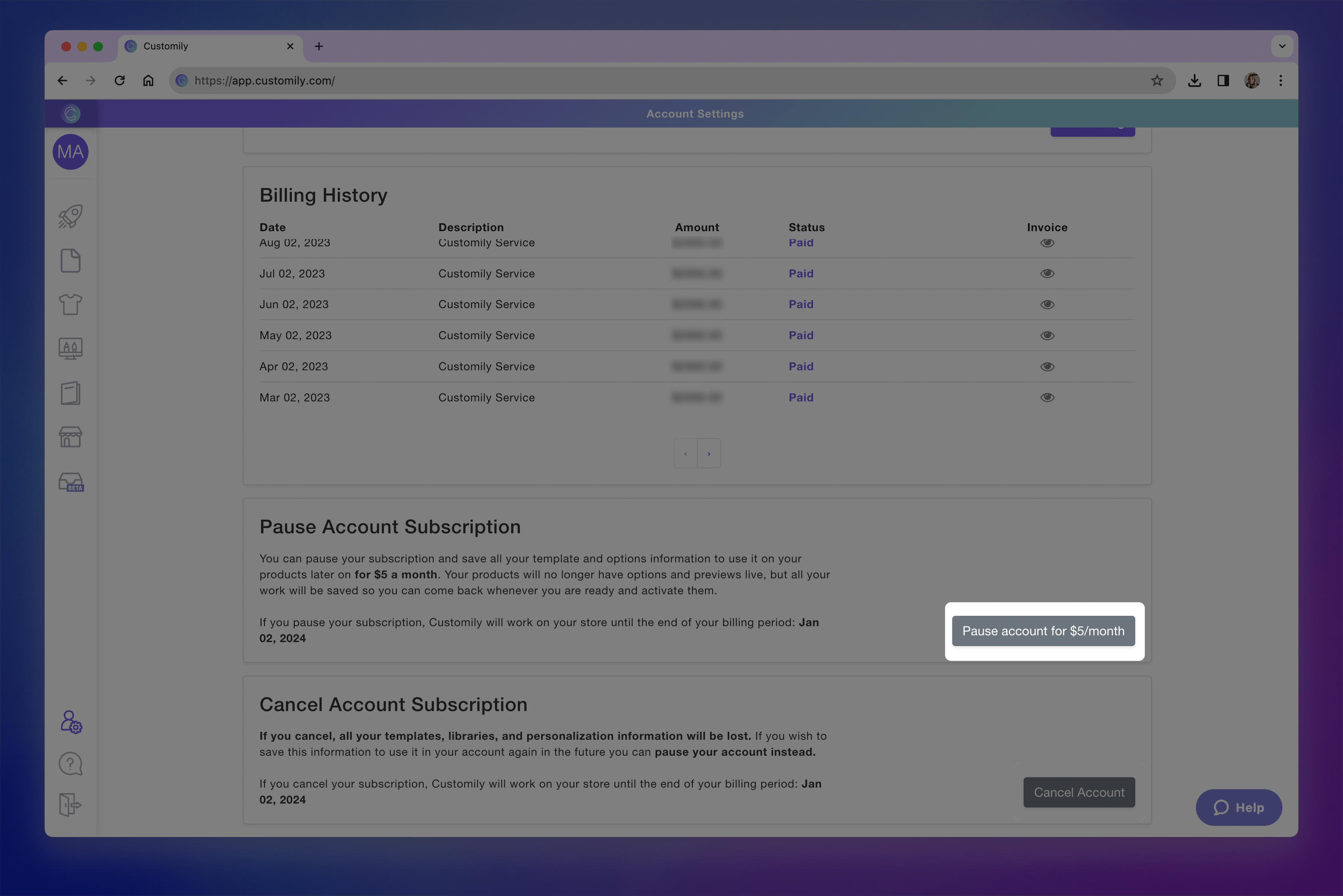
Enter your password to confirm
You can reactivate your account later and continue where you left off.
Cancel your account
Canceling your account permanently removes your Customily data, including your templates, libraries, and personalization information.
If you may want to use Customily again in the future, we recommend pausing your account instead.
To cancel your account:
Log in to your Customily account on app.customily.com/signin
On the left menu, go to Account and open the Billing tab
If you have multiple stores under the same account, select the store you want to cancel from the top-left dropdown
Scroll down to the bottom of the page
Select Cancel subscription
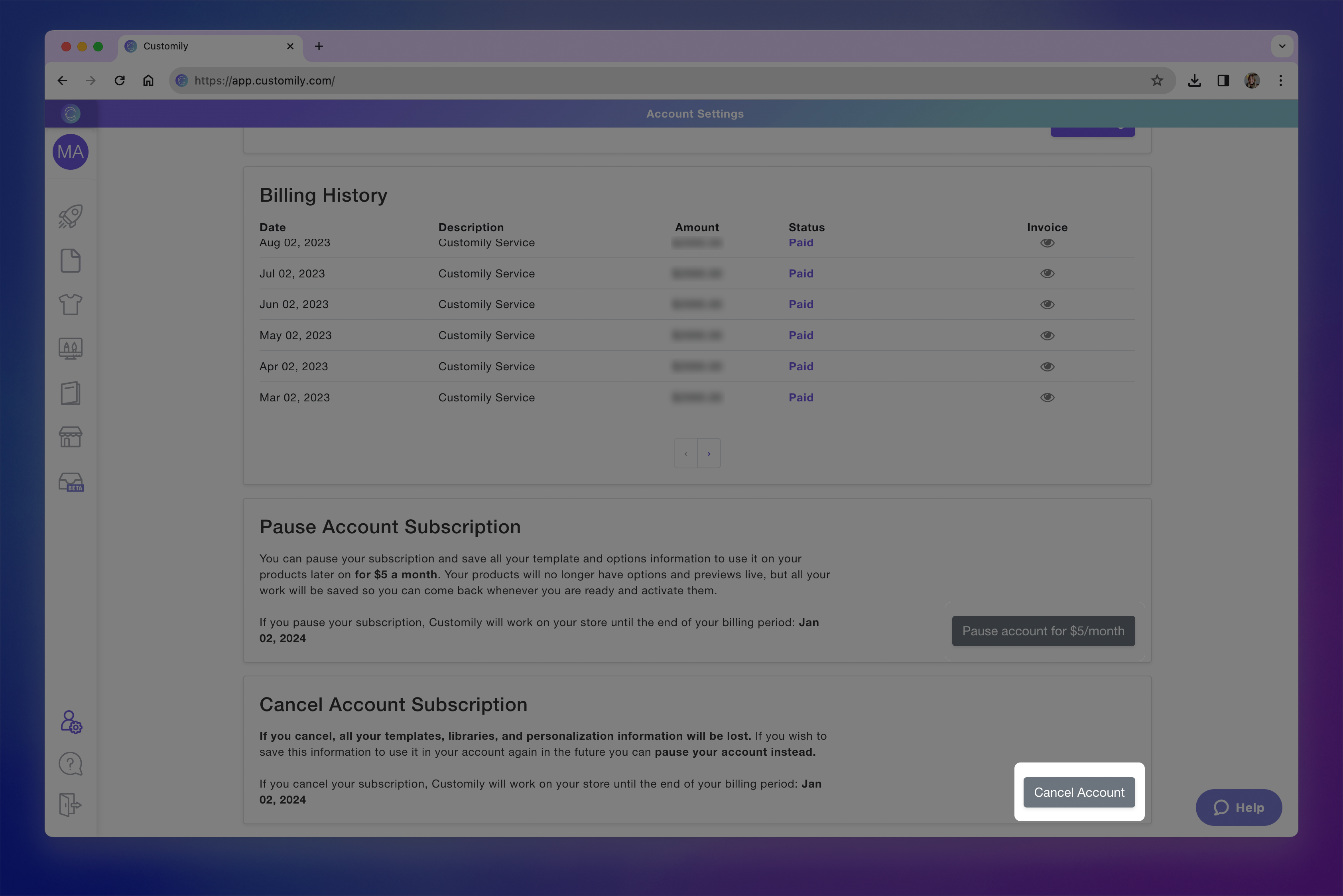
Enter your password to confirm
Important
Canceling your account permanently removes your Customily data, including your templates, designs, libraries, products, and personalization settings.
If you may want to use Customily again in the future, we recommend pausing your account instead.