Retrieving the personalization details via API - V2
Last updated: April 28, 2026
If you receive a large number of orders and want to automate the process of retrieving personalization details, our API will be very useful.
In this example, we’ll use Postman, but you can easily adapt the same steps to any programming language.
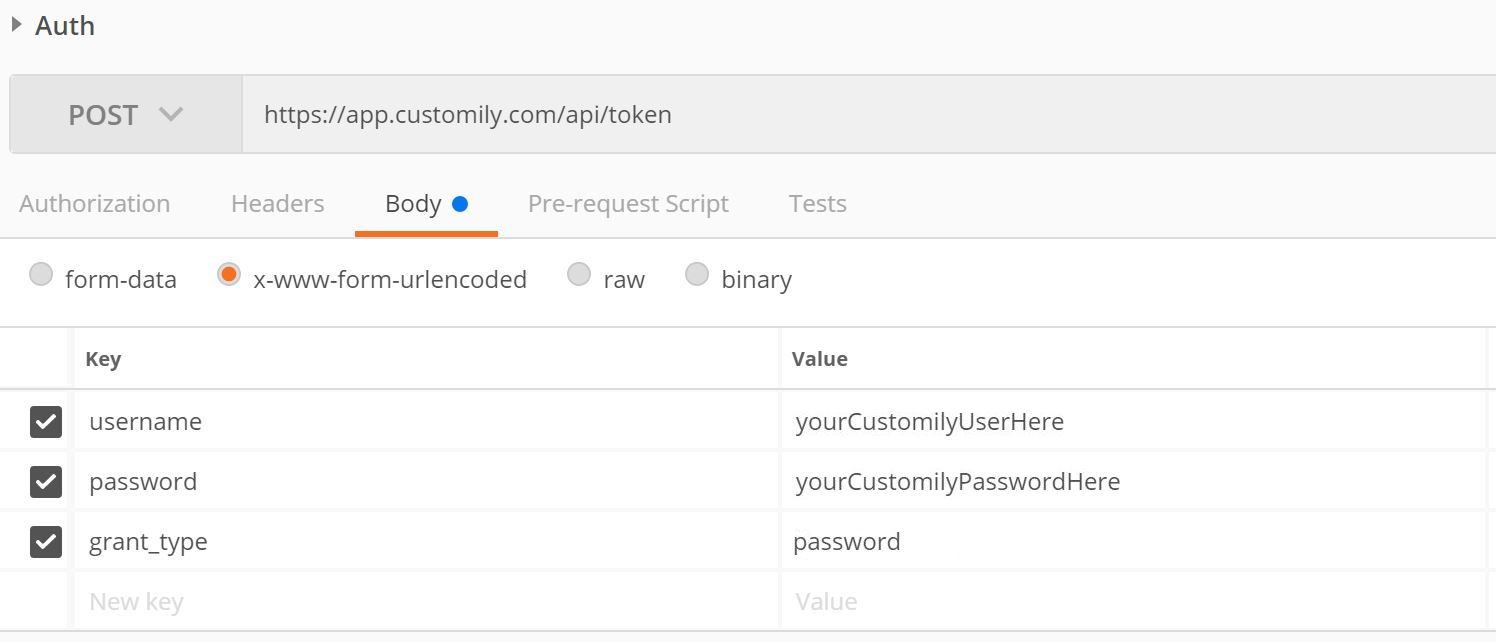
First, you’ll need to obtain an access token by sending a POST request to the following endpoint:https://app.customily.com/api/token:

Call the following endpoint:https://sh.customily.com/api/standalone/item/
Remember to include:
The access token in the request header (with the prefix
"Bearer").The PONumber (
personalizationGUID)and the shop (shop url) as query string parameters.
Example request:
https://sh.customily.com/api/standalone/item/8a975ffd-451f-499f-89fb-74c6e1736fb3&shop=yourstore.com
Postman example:

{
  "id": "05D74647-AE23-44FB-84CE-347307E523A8",
  "clientId": "41201",
  "quantity": "1",
  "productId": "0de16998-e3b4-4cc2-a939-833a590f5f1e",
  "previewUrl": "http://preview.customily.com/assets/previews/76d15c12-631d-4965-8f84-061d8dd9dd27.jpeg",
  "productionUrl": "https://cdn.customily.com/ExportFile/jbloom/a65f4484-f22c-4199-a755-fea837b5153a.ai",
  "optionsJson": "[{\"name\":\"Select Necklace color\",\"value\":\"Gold Stainless\",\"type\":\"Swatch\"},{\"name\":\"Enter text\",\"value\":\"Customily\",\"type\":\"Text Input\"}]",
  "orderElement": "1234",
  "orderId": null,
  "orderItemId": "0",
  "exportedFiles": [
    {
      "url": "https://cdn.customily.com/ExportFile/user/a65f4484-f22c-4199-a755-fea837b5153a.ai",
      "epsId": 1,
      "podPlaceholder": null,
      "personalizationId": "05D74647-AE23-44FB-84CE-347307E523A8"
    }
  ],
  "createdDate": "2020-07-02T00:00:00.000Z"
}
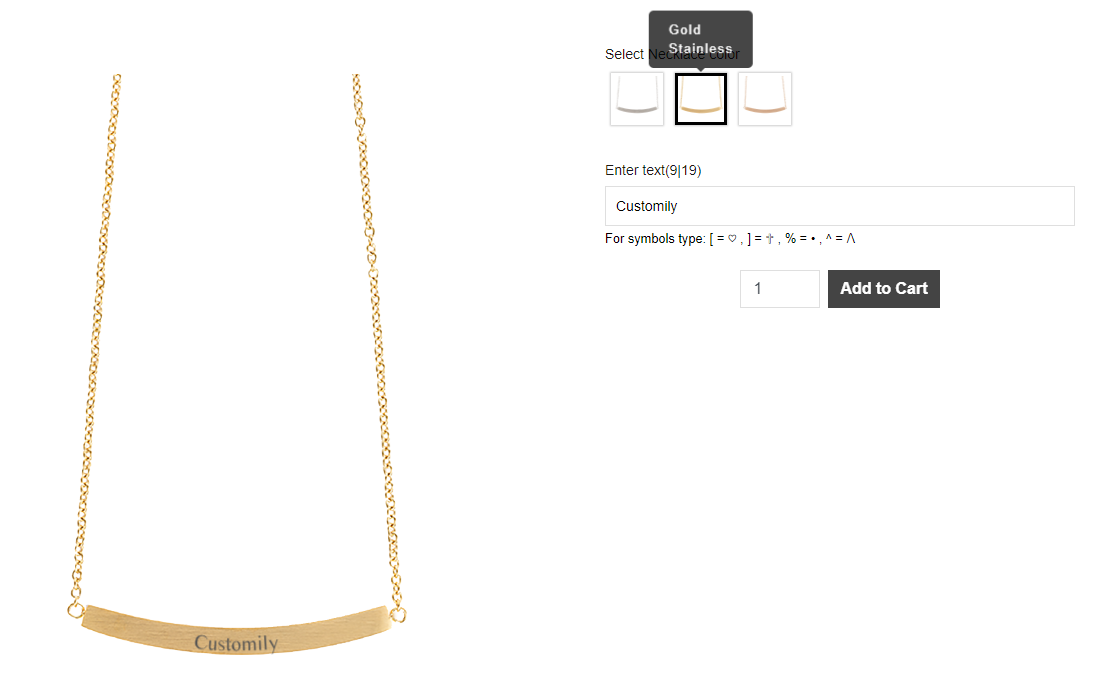
The API response includes all the personalization details entered by the client, along with the Customily-generated preview and production files.
Field descriptions:
id: Internal Customily ID, unique for each line item.
clientId: Identifier for the client or store.
quantity: The quantity ordered for the product.
productId: The Customily template ID for the ordered product.
previewUrl: Link to the preview image showing the client’s personalization.
productionUrl: Link to the production file containing the client’s personalization.
optionsJson: The options the client selected (from the product’s option set).
orderElement: Identifier for the order line within the client’s system.
orderId: The ID of the order associated with the item (may be null).
orderItemId: The internal identifier for the ordered item.
exportedFiles: A list of generated production files, including file URLs and related metadata.
-
createdDate: The date when the personalized product was created.
[
    {
        "id": "8a975ffd-451f-499f-89fb-74c6e1736fb3",
        "clientId": "98544",
        "quantity": "1",
        "productId": "f2d36b61-c442-47f5-9b9a-6cf38bc60a36",
        "previewUrl": "https://cdn.customily.com/shopify/assetFiles/previews/customstore.com/b312bb15-e801-48de-a318-fc725a02d241.jpeg",
        "productionUrl": "https://cdn.customily.com/ExportFile/user/594a4eab-0eba-4225-b4bc-0d44365f61c3.png",
        "optionsJson": "[{\"sort_id\":1,\"name\":\"Upload your photo\",\"value\":\"https://cdn.customily.com/js-lib-temp-images/4c9b9cf3-5d6e-4b31-8cb0-b5c56d04b18a/1-d89702b2-b47f-406b-b79b-1e06defda291-1756312363032.jpeg\",\"type\":\"Image Upload\"}]",
        "orderElement": "1234",
        "orderId": null,
        "orderItemId": "0",
        "exportedFiles": [
            {
                "url": "https://cdn.customily.com/ExportFile/user/594a4eab-0eba-4225-b4bc-0d44365f61c3.png",
                "epsId": 1,
                "podPlaceholder": null,
                "personalizationId": "92d6e164-28c3-47cc-bb63-4851e9aa933b"
            }
        ],
        "createdDate": "2025-08-27T16:33:49.951Z"
    }
]