Customize how personalized products appear in the cart
Last updated: October 7, 2026
Customize how personalized products are displayed in the cart so shoppers can easily recognize their personalized item and review the choices they made.
You can show the personalized preview as the product thumbnail, give shoppers a larger view of their personalization, and control whether personalization details are displayed with the cart item.
Go to Store Settings > Advanced Settings → Cart Items to configure these settings.
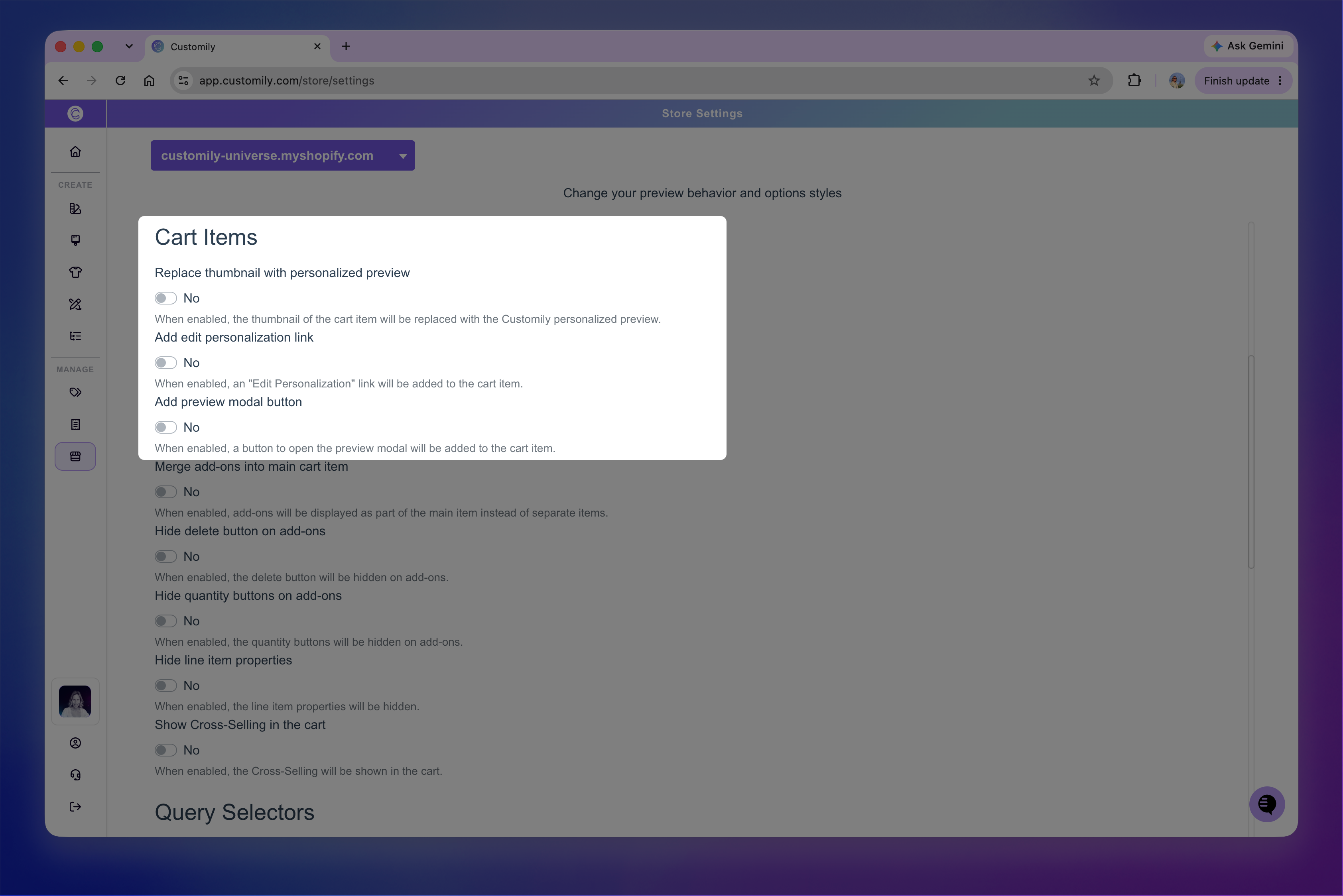
Show the personalized preview as the product thumbnail
By default, the cart uses the product's regular thumbnail image.
Turn on Replace thumbnail with personalized preview to replace it with the preview generated from the shopper's personalization.
This lets shoppers see the product they created directly in the cart instead of the original product image.

Top: the cart displays the regular product thumbnail. Bottom: the personalized preview is used instead.
Let shoppers open a larger preview
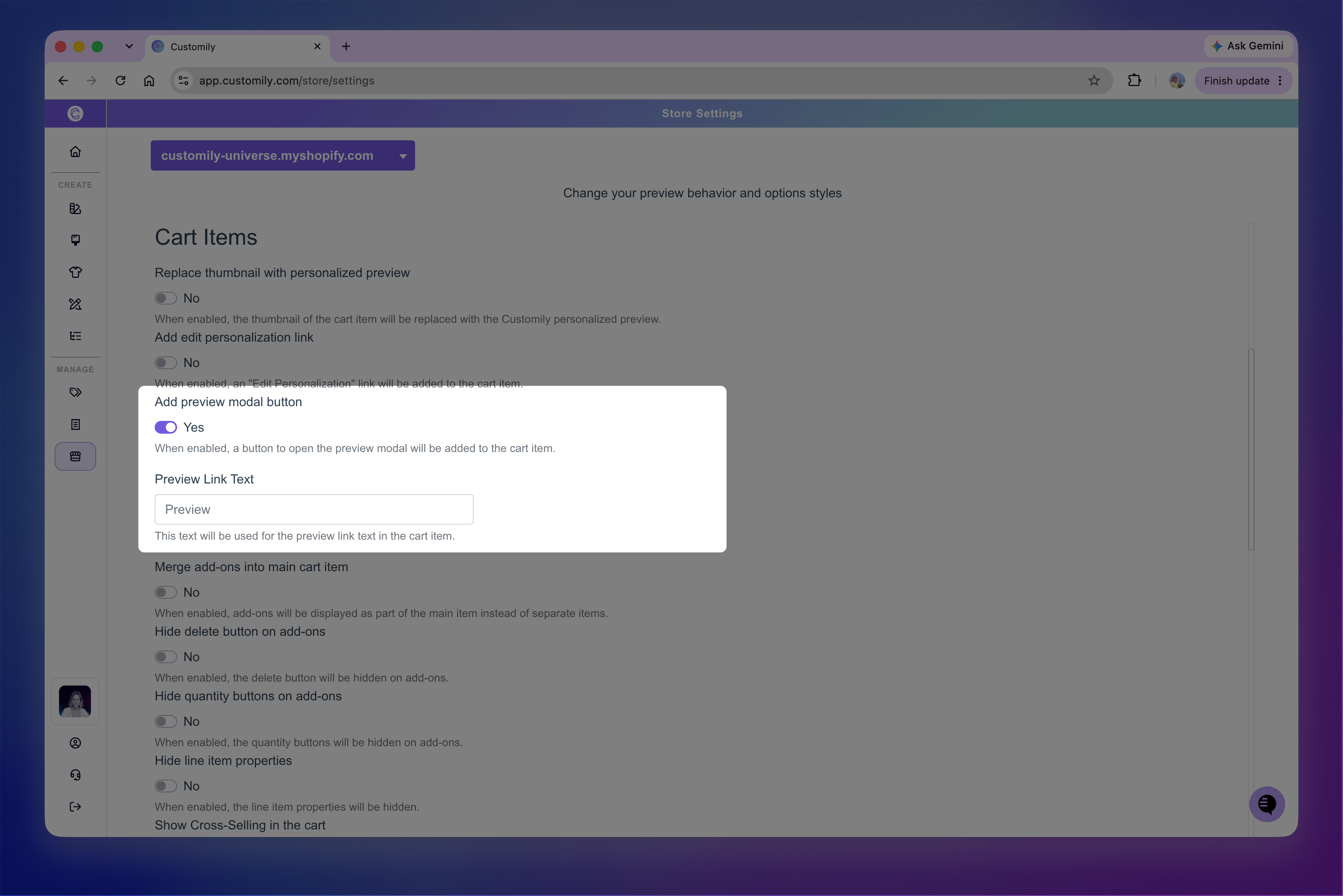
Turn on Add preview modal button to add a link to the cart item that shoppers can use to see a larger preview of their personalization.
Use Preview Link Text to customize the text displayed for the link.
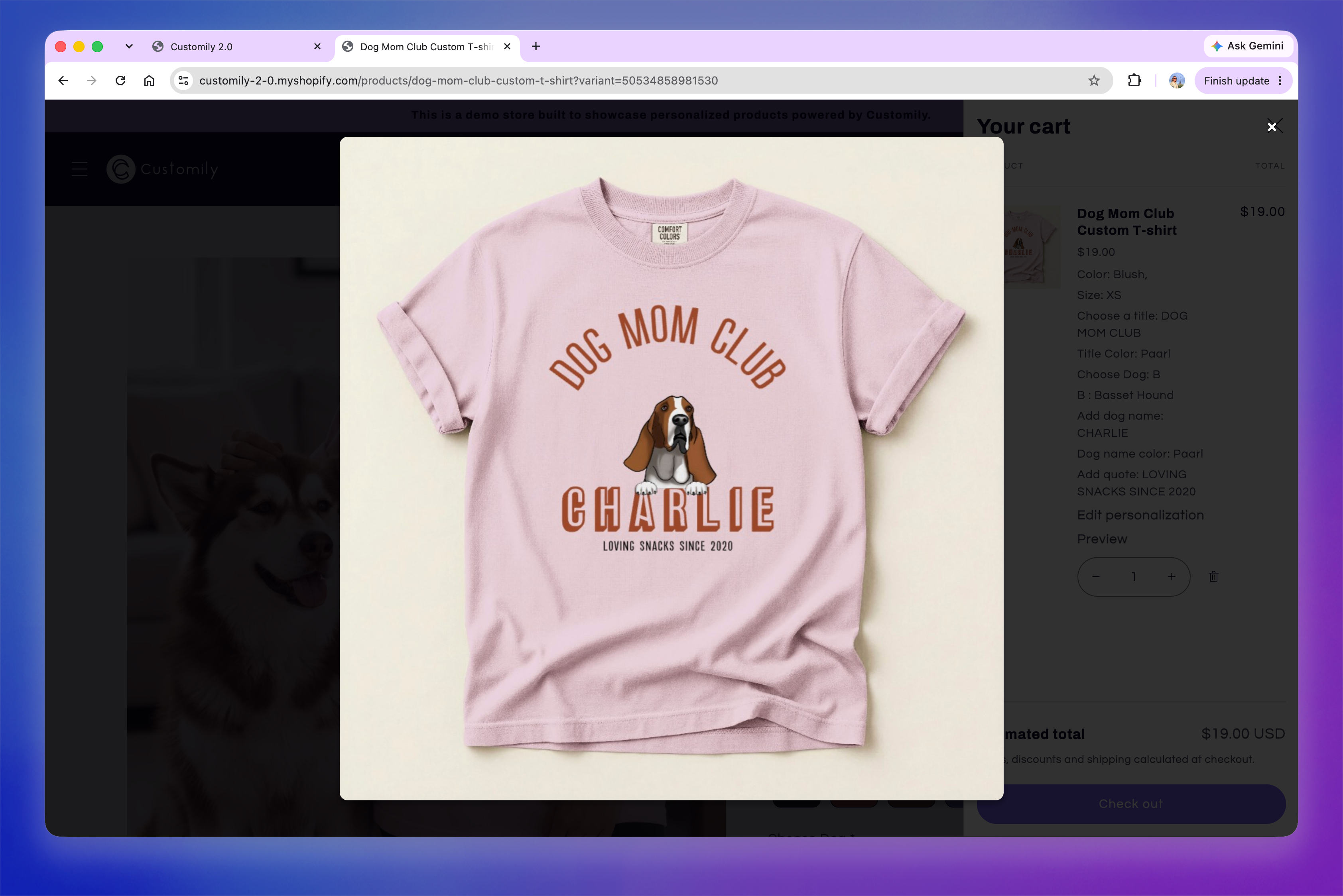
When a shopper clicks the link, their personalized preview opens in a larger view without leaving the cart.
Hide personalization details from the cart
By default, personalization choices made through Customily options are displayed as line item properties in the cart, allowing shoppers to review the options they selected.
If you want to hide personalization from the cart, go to Store Settings > Advanced Settings → Cart Items and turn on Hide line item propertiesIf you want to hide personalization from the cart, go to Store Settings > Advanced Settings → Cart Items and turn on Hide line item properties.
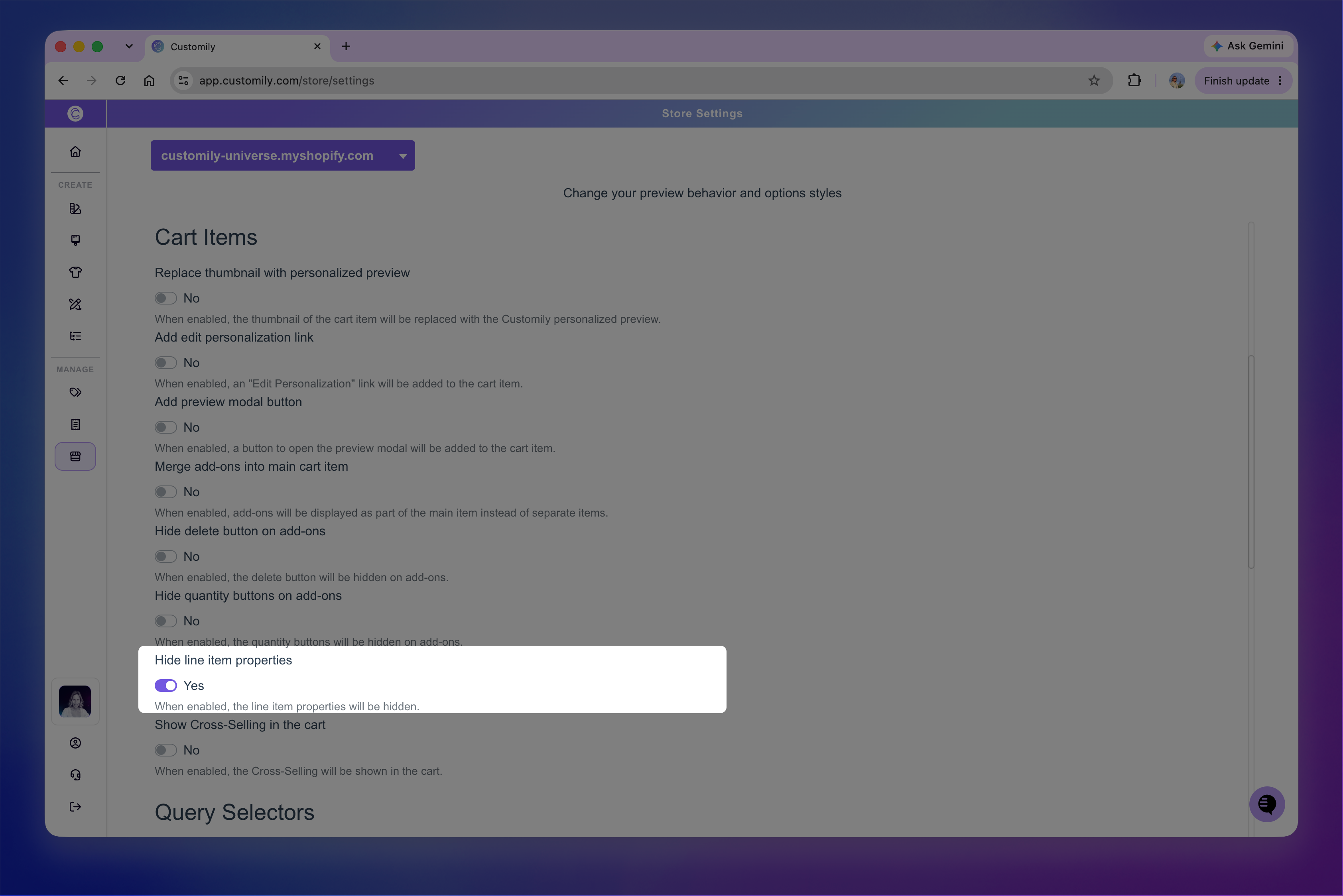
This hides Customily personalization details from the cart generated by the shoppers chosen personalization options. Product variant information, such as size or color, will still be displayed.hides Customily personalization details from the cart generated by the shoppers chosen personalization options. Product variant information, such as size or color, will still be displayed
This can be useful when a product has many personalization options and displaying all of them makes the cart feel cluttered. The personalization information is still associated with the item; this setting only controls whether those properties are shown to the shopper in the cart.
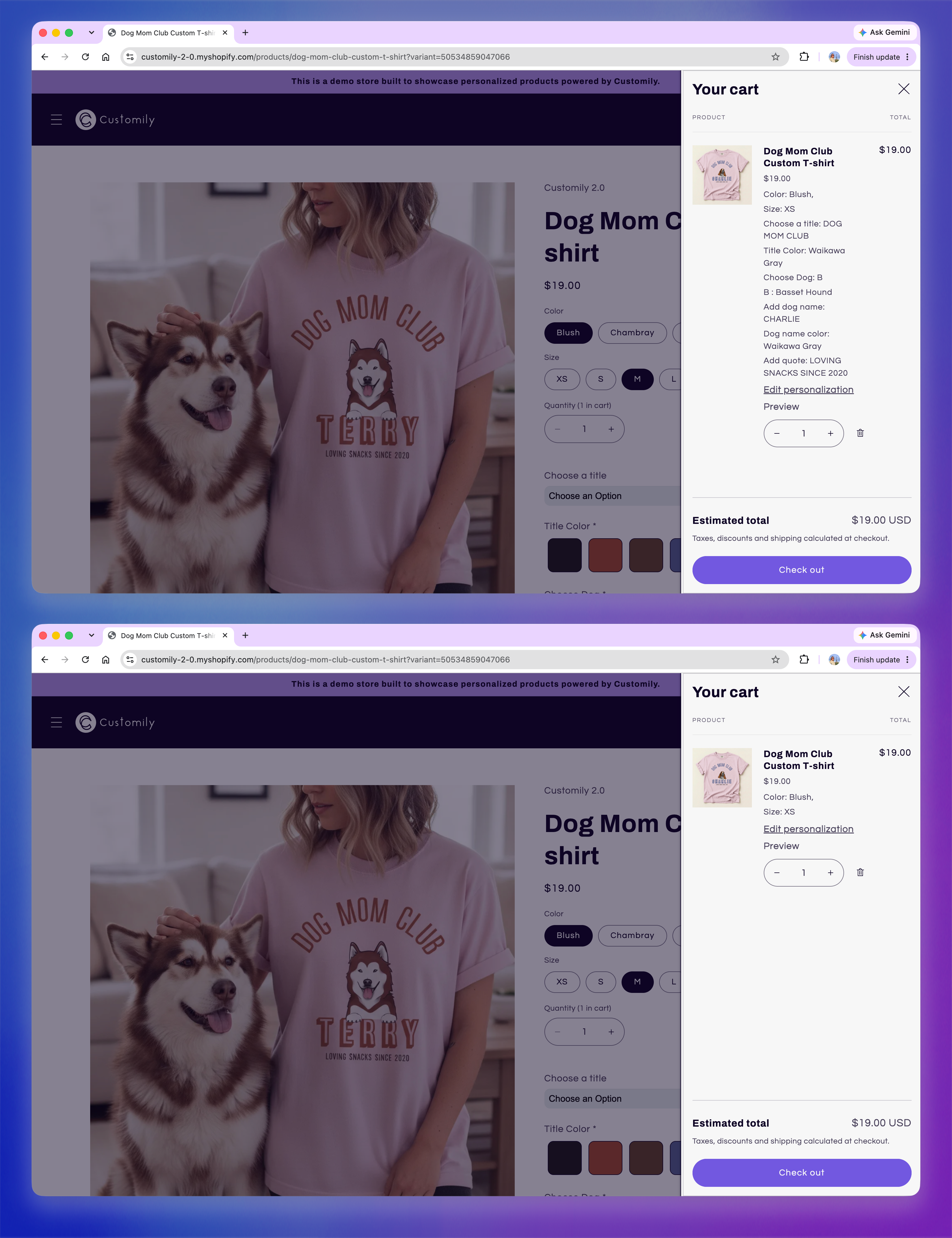
Top: personalization details are displayed with the cart item. Bottom: the details are hidden for a cleaner cart display.