Let shoppers edit personalization from the cart
Last updated: October 2, 2026
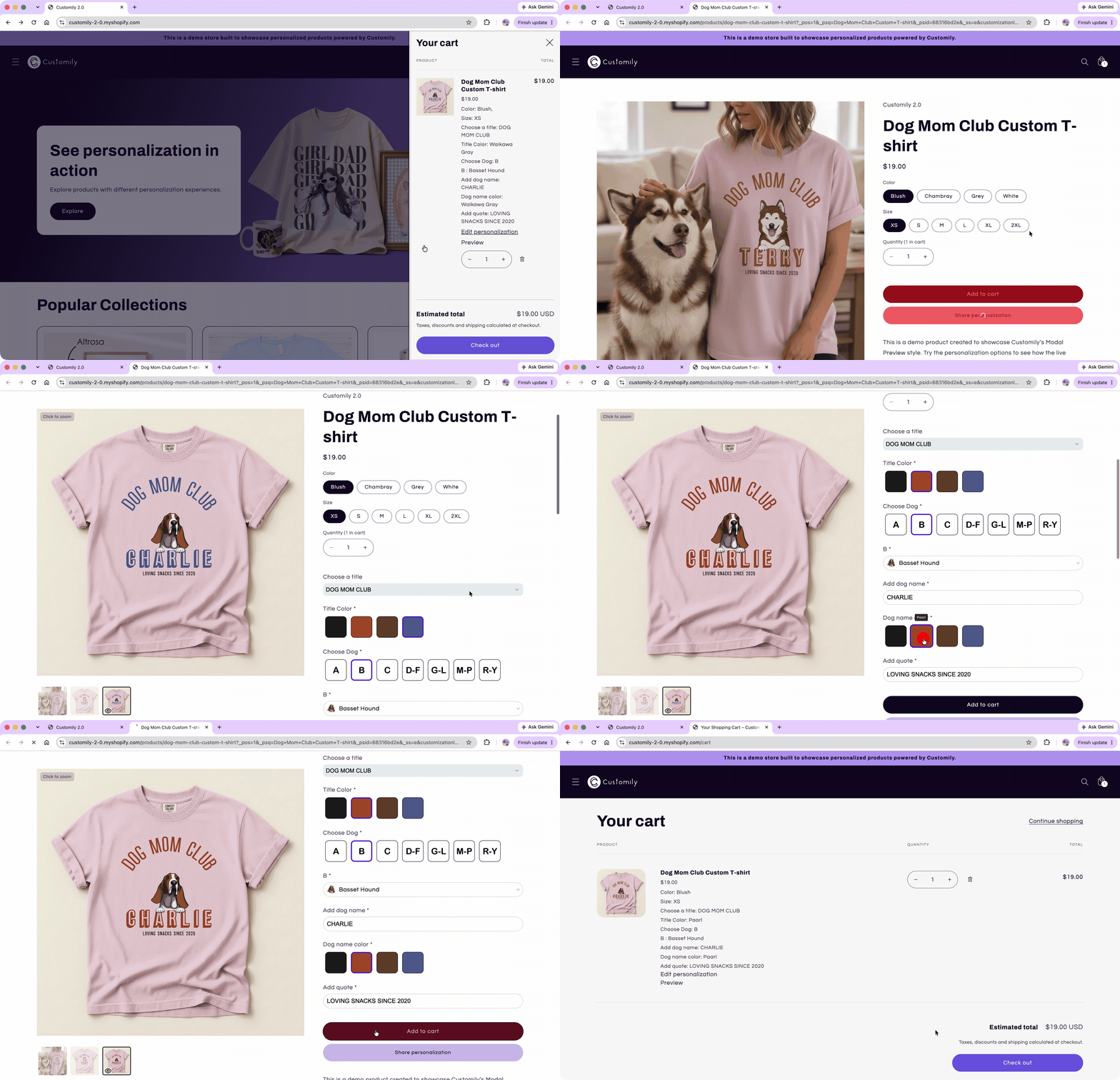
Let shoppers return to a personalized product from their cart, make changes, and update the item without starting their personalization over or adding a second product to the cart.
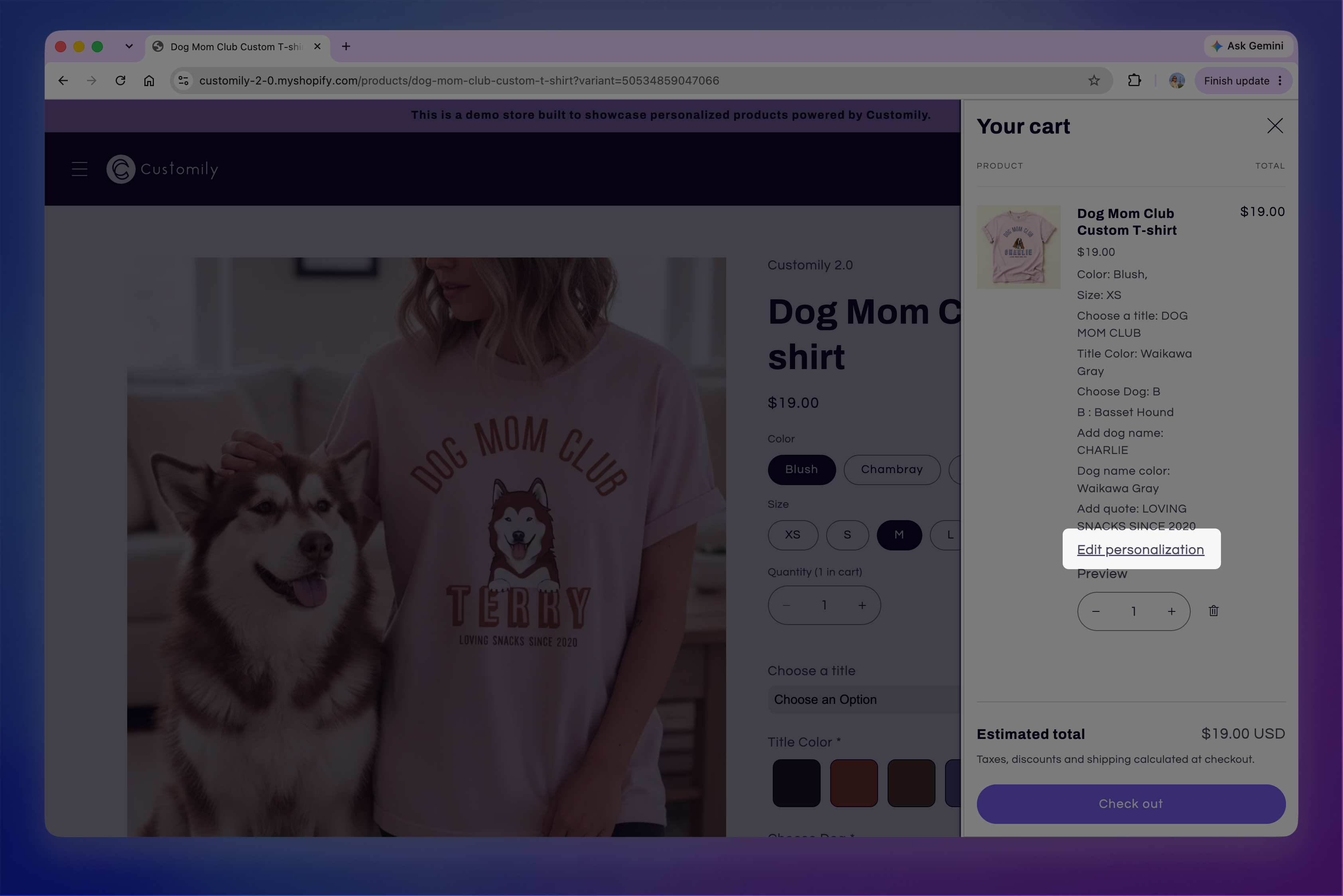
When this feature is set up, an Edit personalization link appears with the personalized item in the cart. Clicking it opens the product with the shopper's previous personalization restored. After making changes, the shopper can add the product back to the cart and the existing cart item is updated.
Before you start
Editing a personalization from the cart relies on Customily saving the personalization when the product is first added to the cart.
Go to Store Settings > Advanced Settings → Save And Share Personalization and make sure:
Save personalization data after adding to cart is turned on. This creates the saved personalization URL used to restore the shopper's selections.
Edit personalization data is turned on. This allows the edited product to update the existing cart item instead of adding a new one.
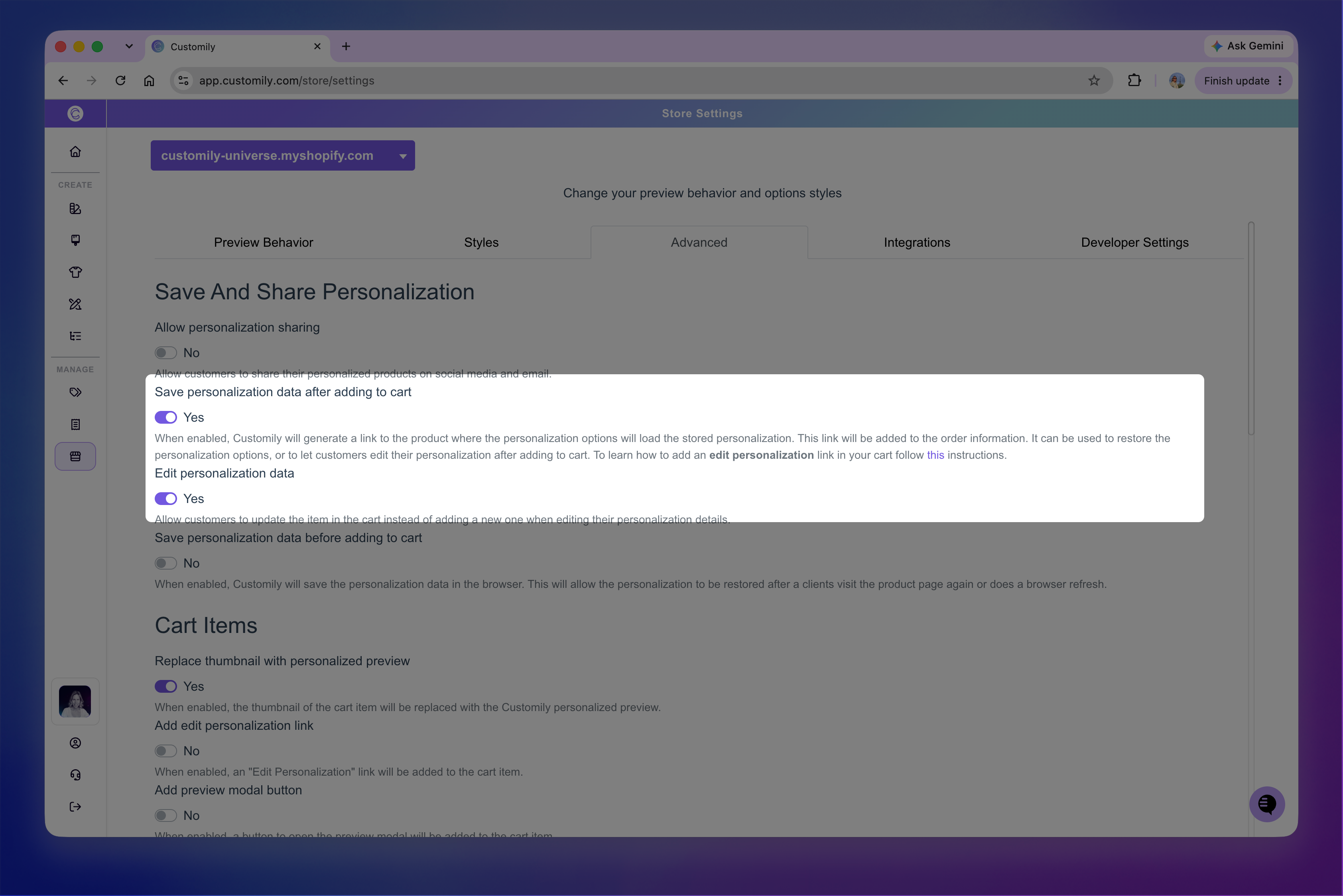
Save your changes for the settings to take effect.
For more information about how saved personalization works, see 📄 Save shoppers' personalization
Add an Edit personalization link to the cart
Go to Store Settings > Advanced Settings → Cart Items, then turn on Add edit personalization link.
Use Personalization Link Text to change the text shoppers see in the cart. For example, you can use Edit personalization, Edit design, or another label that fits your store.
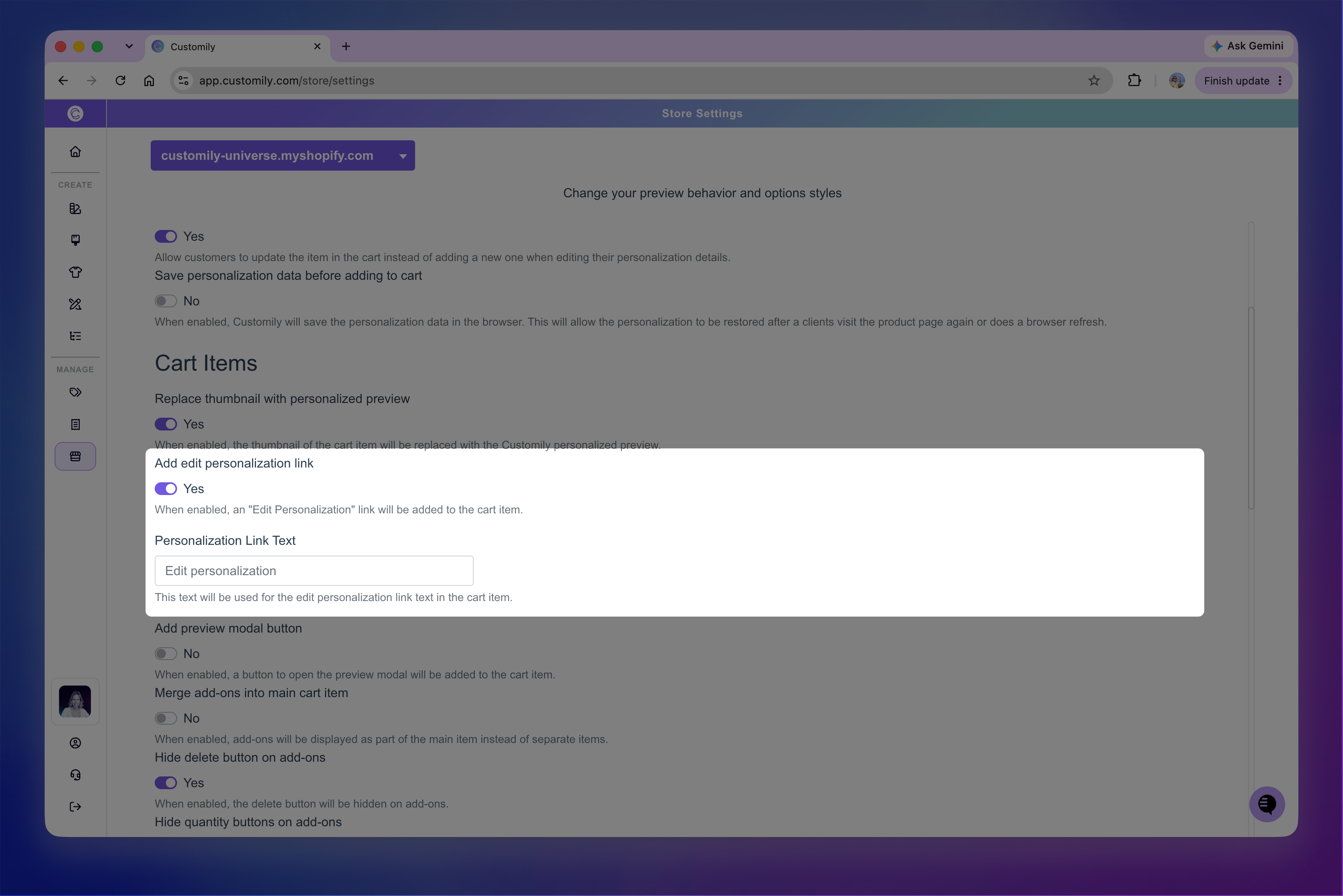
Save your changes for the settings to take effect.
Once enabled, the link appears with personalized items in the cart.
How editing works
When a shopper clicks Edit personalization, the product opens in a new tab with their saved personalization already loaded.
The shopper can change any of the personalization options and see their updated personalization in the preview. When they're finished, they click Add to Cart again.
Instead of adding another copy of the product, Customily replaces the existing cart item with the updated personalization.