Position the personalization form
Last updated: September 29, 2026
By default, Options position is set to Auto, allowing Customily to determine where the personalization form should appear on the product page. This works for most stores.
If you need more control over its placement, or you need to place the form somewhere else, you can position the entire personalization form relative to a specific element on your product page.
Change the position of the form
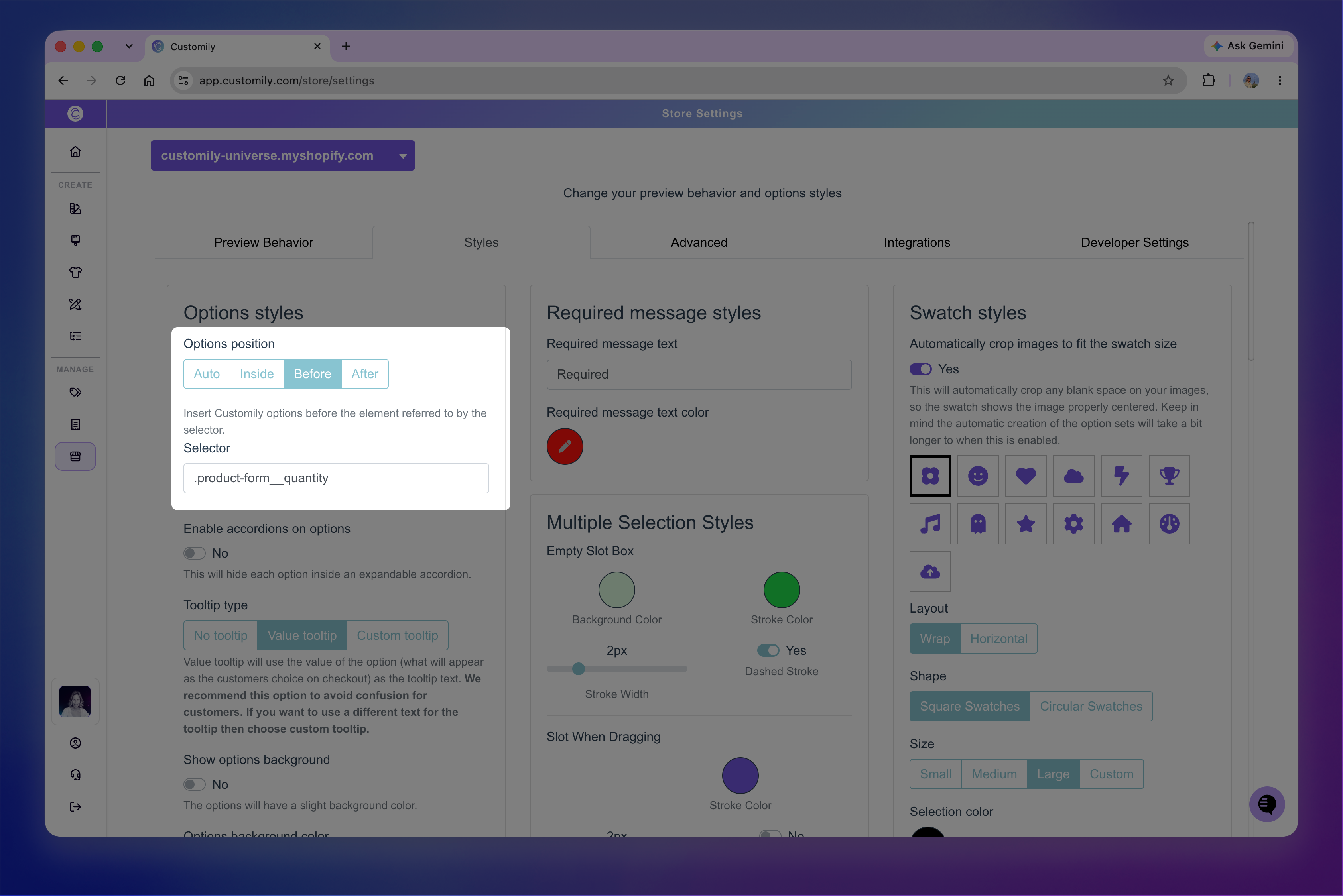
Go to Store Settings > Styles, then choose an Options position:
Auto: Customily automatically determines where to place the personalization form.
Inside: Inserts the personalization form before the last child of the element specified in Selector.
Before: Inserts the personalization form before the element specified in Selector.
After: Inserts the personalization form after the element specified in Selector.
When you select Inside, Before, or After, you'll need to enter the CSS selector of the element you want to use as the reference point.
Tip
If you're using the Customily app block on Shopify, you can also reposition the personalization form directly from the Shopify theme editor by moving the app block.
How to find the selector of an element
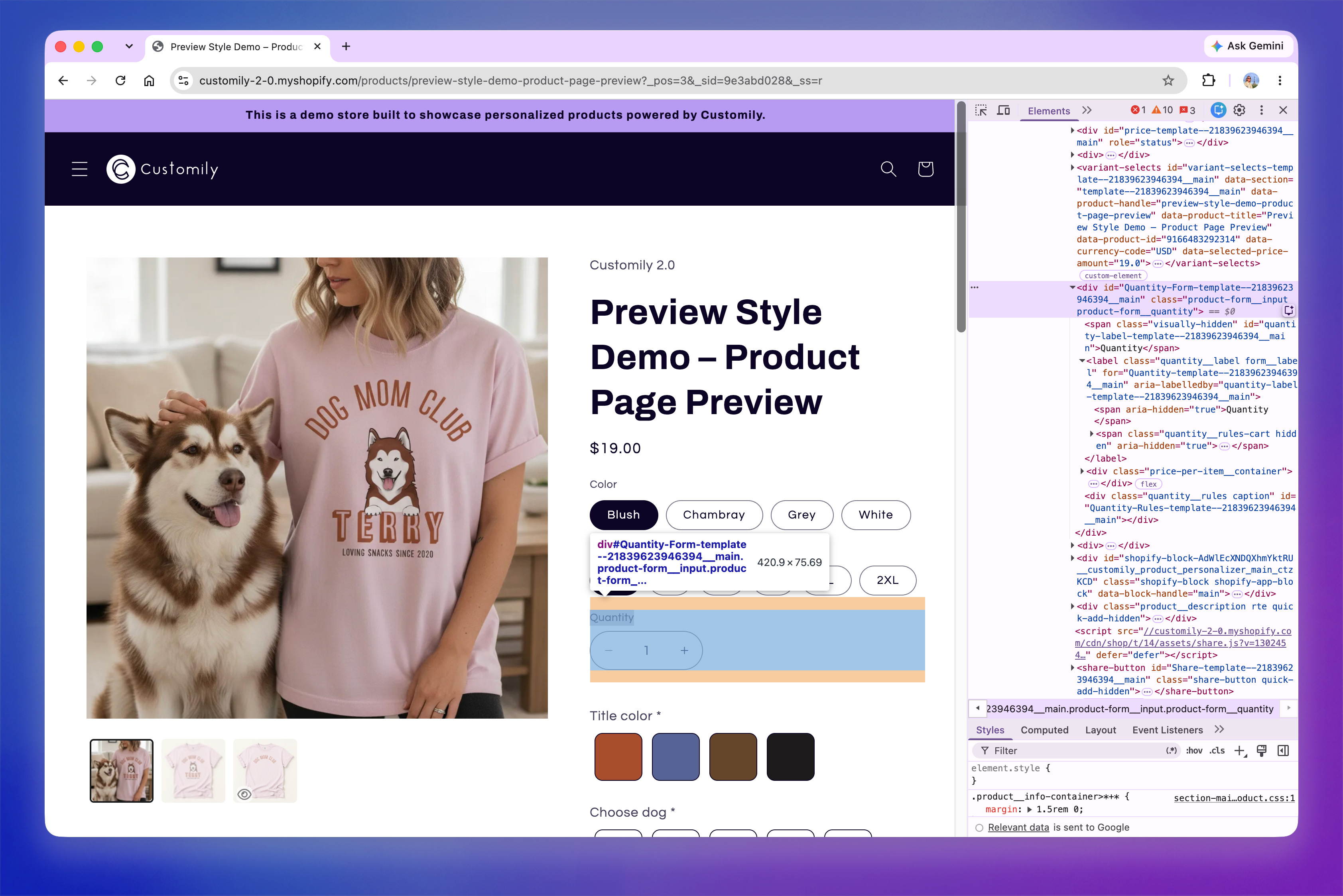
If you don't know the selector of the element you want to position the form around, you can find it using your browser's developer tools:
Open your product page and right-click the element you want to use as a reference.
Select Inspect.
In the HTML displayed in the developer tools, find the
classoridof the element.Use a period (
.) before a class name or a hash (#) before an ID. For example:class="product-form"→.product-formid="product-info"→#product-info
Enter the selector in Selector and save your changes.
After saving your changes, open the product on your storefront to confirm that the personalization form appears in the expected position.
Tip
Choose a selector that consistently identifies the same element across your product pages. Classes are often a better choice than IDs, since IDs may change from product to product. When using a class, make sure it's specific enough to identify the element you want and isn't shared by unrelated elements on the page.